
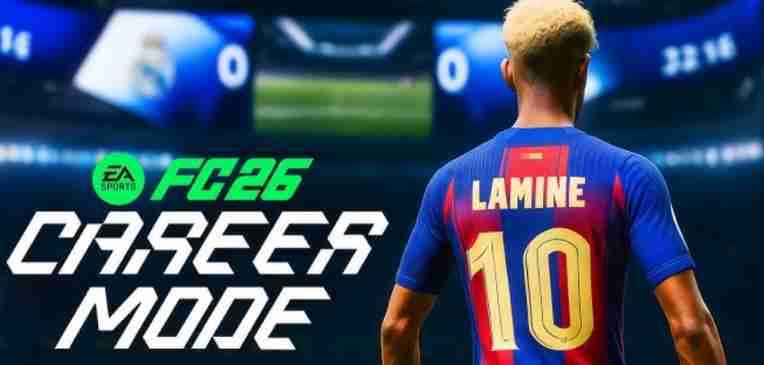
Many players have noticed the FC 26 clothing bug while playing Career Mode.
The coach’s wardrobe often doesn’t display correctly, resulting in a visual glitch in career matches. Coaches may appear in outfits that look different from what was selected, with jackets randomly changing between styles or showing inconsistent textures.
FC 26 Clothing Bug in Career Mode Explained
- The FC 26 Career Mode coach clothing issue occurs due to wardrobe data not syncing properly when loading matches.
- Sometimes the game fails to load saved outfits, triggering FC 26 coach appearance glitches.
- This can affect immersion and even confuse players when trying to maintain a consistent team aesthetic.
Key Points:
- The issue is most noticeable when switching between matches rapidly.
- Pre-selected outfits may revert to default clothing if the game doesn’t register wardrobe changes.
- Players often report FC 26 outfit bug in cutscenes or when coaching from the sidelines.
Why Coaches’ Jackets Appear in Different Qualities in FC 26
One of the more frustrating aspects of the FC 26 coach jacket bug is that jackets can appear in varying qualities. Sometimes the jacket appears pristine, while other times it looks worn or pixelated, creating a wardrobe inconsistency.
- This FC 26 coach outfit glitch is often linked to texture loading errors, where the game fails to properly render high-resolution clothing assets.
- Even when the correct outfit is selected, the visual result may differ, causing FC 26 clothing not consistent problems.
- The inconsistency affects all Career Mode matches, regardless of stadium or camera angle.
Key Points:
- Textures may load differently depending on game performance.
- Saving the outfit and reloading Career Mode sometimes temporarily resolves the bug.
- Coaches may display visual issues even if the wardrobe shows the correct outfit in menus.
How Buttoned and Unbuttoned Jackets Trigger Visual Inconsistencies
Another common source of the FC 26 clothing glitch during matches is the buttoned versus unbuttoned jacket state. Coaches may appear differently than intended, with jackets toggling styles between matches or even mid-game.
- The FC 26 Career Mode appearance inconsistency occurs because the game sometimes fails to register the selected jacket style.
- This can create FC 26 Career Mode coach outfit not consistent issues, making the same outfit appear differently in multiple scenarios.
- Players often report noticing this glitch more when using cinematic camera angles or close-ups during matches.
Key Points:
- The bug primarily affects jackets with multiple styles.
- Quick loading between matches increases the likelihood of the glitch.
- Temporary fixes include saving the outfit again or restarting Career Mode to re-sync wardrobe data.
Common Signs Your Coach’s Clothing Is Glitching in FC 26

Players experiencing the FC 26 clothing bug often notice several telltale signs that indicate a visual glitch in career matches. These issues can break immersion and make it difficult to maintain a consistent team appearance. Recognizing the problem early helps in applying temporary fixes or reporting it to EA support.
Key Signs:
- Coach Jackets Change Randomly: One of the most obvious signs of the FC 26 coach jacket bug is that jackets appear in different styles or qualities without any input. Coaches may wear buttoned jackets in one moment and unbuttoned in another.
- Wardrobe Inconsistency Across Matches: Players report that the same outfit may appear correctly in the menu but display differently during matches, highlighting FC 26 Career Mode coach clothing issues.
- Texture or Visual Quality Changes: The FC 26 coach outfit glitch may result in pixelated or low-quality textures on jackets or other clothing items. This is especially noticeable on cinematic or close-up camera angles.
- Outfit Reverts to Default: Even after customizing a coach’s wardrobe, the game might revert to default outfits, indicating the FC 26 outfit bug is active.
- Buttoned vs Unbuttoned States Flipping: Coaches may switch between buttoned and unbuttoned jackets unexpectedly, a classic FC 26 Career Mode appearance inconsistency.
- Glitches During Cutscenes or Sideline Moments: The FC 26 visual glitch in career matches may be more noticeable during cutscenes, celebrations, or when the coach is shown on the sideline.
Tips:
- Save outfits multiple times to reduce temporary glitches.
- Restart Career Mode to re-sync wardrobe selections.
- Take note of recurring issues for reporting to EA support for a potential patch fix.
Step-by-Step Fixes for FC 26 Career Mode Clothing Glitches
FC 26 has been praised for its realism in Career Mode, but many players are reporting clothing bugs affecting their coach’s appearance. The FC 26 clothing bug includes jackets appearing buttoned or unbuttoned, wardrobe inconsistencies, and sudden outfit changes mid-match. These visual issues can break immersion, especially when your coach outfit glitch is obvious during broadcast camera angles. Below, we provide detailed fixes to solve FC 26 Career Mode coach clothing issues, restore consistency, and ensure your career mode visual bugs are minimized.
Fix 1: Reapply the Coach Outfit
One of the simplest ways to fix FC 26 coach jacket bugs is to reapply the outfit in the coach customization menu. This ensures that the correct wardrobe is synced to your profile. Follow these steps:
- Open the Career Mode customization menu.
- Select the desired coach outfit.
- Ensure any buttoned vs unbuttoned jacket settings are consistent with your preference.
- Save and confirm before entering a match.
Reapplying the outfit often resolves minor coach appearance glitches and prevents wardrobe inconsistencies during gameplay.
Fix 2: Restart Career Mode
Sometimes the FC 26 clothing not consistent problem is caused by temporary profile or asset loading errors. Restarting Career Mode can refresh these assets:
- Exit Career Mode entirely.
- Return to the main menu and reload your career save.
- Enter a match to check if the coach outfit glitch has been resolved.
This simple step helps fix visual inconsistencies such as coaches wearing different jackets at the start of matches or sudden outfit changes mid-game.
Fix 3: Clear Cache (Console or PC)
Cached game data can trigger FC 26 Career Mode coach clothing issues. Clearing cache removes outdated files that may conflict with the latest wardrobe assets:
- On consoles: Turn off the console and unplug it for at least 5 minutes. Restart and launch FC 26.
- On PC: Clear temporary files and verify game files through the launcher.
After clearing cache, your coach appearance glitch should be minimized, and visual bugs in career matches are less likely to appear.
Fix 4: Update the Game
Many FC 26 clothing glitches are addressed in official updates. Always make sure FC 26 is running the latest patch:
- Check the game launcher for updates.
- Download and install any pending patches.
- Restart the game and verify if the coach jacket bug is resolved.
Updates often contain fixes for career mode appearance inconsistencies and other visual glitches affecting outfits.
Fix 5: Toggle Camera Angles
Some wardrobe inconsistencies only appear under certain camera angles. Changing cameras can sometimes correct the visual bug:
- Switch between sideline, broadcast, and cinematic cameras.
- Observe if your coach outfit appears correctly.
- If buttoned jackets or other visual glitches persist, try reloading the match.
This method can temporarily alleviate FC 26 Career Mode clothing bugs, especially for streamers or players who notice outfit changes during replays.
Fix 6: Rebuild Career Profile
Corrupted career data can trigger persistent FC 26 clothing glitches. Rebuilding your career profile can help:
- Create a backup of your save file.
- Delete or reset career settings in the customization menu.
- Reload your save and reapply the coach outfit.
This addresses the FC 26 coach appearance glitch and ensures that all visual glitches in career matches are resolved.
Fix 7: Avoid Quick Outfit Changes
Rapidly switching outfits in Career Mode can cause FC 26 coach outfit glitches and wardrobe inconsistencies. To prevent this:
- Stick to one outfit for a gaming session.
- Avoid toggling jackets or swapping coaches mid-match.
- Make sure changes are saved before starting a match.
This simple habit reduces the risk of visual bugs such as buttoned vs unbuttoned jackets appearing inconsistently.
Fix 8: Verify Game Files (PC)
For PC players, corrupted or missing files can cause FC 26 clothing bugs and career mode visual inconsistencies:
- Open your game launcher (Steam, EA App, etc.).
- Select FC 26 and verify integrity of game files.
- Replace any missing or corrupted files.
After verification, the FC 26 Career Mode coach clothing issue is often resolved, and wardrobe inconsistencies are minimized.
Fix 9: Reinstall the Game
If previous steps fail, a full reinstall can solve persistent FC 26 outfit bugs:
- Backup your save files.
- Uninstall FC 26.
- Reinstall from the official launcher.
- Reapply your coach outfits and start a fresh match.
This fix removes lingering career mode visual bugs and resolves coach jacket glitches caused by corrupted game files.
Fix 10: Report to EA Support
Some FC 26 clothing glitches require developer intervention. Reporting issues helps EA prioritize a fix:
- Document the problem with screenshots or video.
- Include details of the FC 26 Career Mode clothing bug, including jacket buttoning or outfit changes.
- Submit via EA Help or forums for quicker resolution.
Reporting ensures that persistent visual glitches and coach outfit inconsistencies are addressed in future patches.
Fix 11: Avoid Mods or Custom Skins
Mods can interfere with FC 26 coach outfit rendering:
- Remove or disable mods before starting Career Mode.
- Reapply the default outfits to ensure visual consistency.
- This prevents clothing not consistent issues during matches.
Fix 12: Check Display Settings
Graphics settings can affect how outfits render:
- Lower shadow or detail settings if jackets appear distorted.
- Verify anti-aliasing and texture resolution to fix visual glitches.
- Ensures your FC 26 coach appearance glitch is less noticeable.
Fix 13: Load Outfits Before Match Start
Load the coach outfit before entering matches:
- Go to the customization menu.
- Apply desired outfit and confirm.
- Enter the match to reduce buttoned vs unbuttoned jacket glitches.
Fix 14: Switch Game Modes Temporarily
Switching from Career Mode to a friendly match or tutorial can help:
- Load a non-career mode match.
- Apply outfit.
- Return to Career Mode.
This often clears minor FC 26 Career Mode clothing issues.
Fix 15: Monitor EA Patch Notes
Keep an eye on official patch notes for coach outfit glitch fixes:
- Follow EA forums or social media for updates.
- Update your game regularly.
- Patches often fix lingering visual glitches in Career Mode.
Fix 16: Reassign Coach Appearance in Save File
Advanced players can reassign outfits directly in the career save (PC only):
- Backup the save file.
- Use a save editor or official tools to adjust outfits.
- Reload the save to fix wardrobe inconsistencies.
Fix 17: Limit Career Mode Sessions
Long sessions can accumulate visual bugs:
- Take breaks and restart Career Mode.
- This reduces FC 26 coach appearance glitches caused by prolonged gameplay.
Fix 18: Reset Controller and Input Settings
Sometimes controller settings affect career mode clothing rendering:
- Reset controller bindings.
- Reapply camera and outfit settings.
- Ensures FC 26 visual glitch in career matches is minimized.
Fix 19: Use Default Outfits Temporarily
If custom outfits trigger coach jacket bugs:
- Apply a default coach outfit.
- Enter the match to see if glitches persist.
- After stability is confirmed, switch back to custom outfits.
Fix 20: Check for Third-Party Software Conflicts
Background software may affect rendering:
- Disable overlays (Discord, Nvidia ShadowPlay).
- Close unnecessary programs.
- Helps prevent FC 26 visual glitches including coach outfit inconsistencies.
This comprehensive guide provides 20 detailed fixes to tackle FC 26 clothing bugs, career mode visual glitches, and coach outfit inconsistencies. Following these steps ensures smoother gameplay, consistent outfits, and minimal distraction from coach jacket glitches during Career Mode matches.
How Game Updates May Affect Coach Outfit Consistency
Game updates in FC 26 can unintentionally trigger clothing bugs and affect how outfits appear in Career Mode. Players have reported that after installing patches, the FC 26 coach jacket bug or career mode visual glitches may reappear, causing wardrobe inconsistencies or sudden outfit changes mid-match. These issues often stem from changes to asset files, loadout synchronization, or minor bugs introduced during updates.
Key Points to Note:
- Updates may reset outfit preferences or override previously saved settings.
- Minor visual glitches in career matches can appear, such as buttoned vs unbuttoned jackets.
- Certain coach appearance glitches are more noticeable under broadcast or cinematic camera angles.
- Applying outfits after each update helps ensure that FC 26 clothing not consistent problems are minimized.
- Regularly checking patch notes allows players to anticipate fixes or new issues affecting coach outfits.
By understanding that updates can affect FC 26 coach clothing quality and appearance, players can take proactive steps to reapply outfits or adjust Career Mode settings, reducing the impact of career mode clothing glitches on gameplay.
Checking Career Mode Settings to Prevent Clothing Bugs
Many FC 26 coach outfit glitches arise from misconfigured Career Mode settings. Players experiencing FC 26 wardrobe inconsistencies or coach appearance glitches should inspect the customization menus carefully. Ensuring outfits are properly applied and saved can prevent visual glitches in career matches.
Key Points to Check:
- Confirm that your selected coach jacket style is saved in the Career Mode menu.
- Avoid switching outfits too quickly between matches to reduce career mode clothing issues.
- Verify that camera preferences do not distort how FC 26 coach clothing renders during cutscenes.
- Reset any conflicting customization options that might trigger visual glitches like buttoned or unbuttoned jackets.
- Test outfits in friendly matches or practice mode before official Career Mode matches.
By proactively managing Career Mode settings, players can prevent FC 26 clothing not consistent bugs and maintain a stable visual experience for their coach outfits across all matches.
How Visual Glitches Like Jacket Variations Impact Gameplay Experience
Visual glitches in FC 26, such as coach jacket variations or buttoned vs unbuttoned outfits, can be more than just cosmetic annoyances. The FC 26 clothing bug can distract players and affect immersion during Career Mode matches, especially during cinematic replays or broadcast camera angles.
Key Points to Consider:
- Wardrobe inconsistencies reduce visual immersion and may confuse viewers or stream audiences.
- Sudden outfit changes mid-match can make it difficult to track coach appearance, especially for custom outfits.
- Glitches like FC 26 coach outfit changes randomly may create mismatched aesthetics between matches.
- Frequent career mode visual glitches might interfere with pre-game or cutscene animations.
- Players should report persistent coach clothing issues to EA Support to ensure future patches address these visual bugs.
Understanding the impact of FC 26 Career Mode clothing glitches helps players maintain a smooth, immersive gameplay experience while minimizing distractions caused by coach outfit inconsistencies.
Temporary Workarounds to Normalize Coach Appearance in FC 26
The FC 26 clothing bug and coach outfit glitch can cause visual inconsistencies during Career Mode matches. While waiting for official patches, players can use temporary workarounds to maintain wardrobe consistency.
Key Points:
- Reapply your coach jacket and outfit preferences before every match to reduce visual glitches in career matches.
- Avoid switching outfits rapidly between matches, as this may trigger FC 26 coach appearance glitches.
- Use practice mode to test how career mode coach clothing renders in various camera angles.
- Restart Career Mode sessions if the FC 26 clothing not consistent problem persists.
- Minor adjustments to camera or cinematic settings can temporarily mitigate coach jacket bug visibility.
These workarounds help maintain a stable coach appearance and reduce distractions from FC 26 Career Mode visual glitches until EA releases a permanent fix.
Comparing FC 26 Career Mode Clothing Bugs to FC 25 Visual Issues
The FC 26 coach outfit glitch shares similarities with FC 25 Career Mode clothing problems. Understanding these comparisons helps players manage expectations and prepare workarounds.
Key Points:
- Both titles experienced wardrobe inconsistencies, like jackets appearing buttoned or unbuttoned.
- Outfit resets or visual glitches in career matches were often triggered by game updates or loadout changes.
- FC 26 clothing not consistent issues may be more frequent due to expanded customization options.
- Camera and cutscene rendering differences can amplify coach appearance glitches in FC 26 compared to FC 25.
- Tracking lessons from FC 25 allows players to anticipate and manage career mode coach clothing issues effectively.
How Player Feedback Helps EA Identify Clothing and Outfit Bugs
Community feedback is essential in resolving FC 26 coach clothing glitches and career mode visual bugs. Players reporting issues enable EA to identify patterns causing wardrobe inconsistencies.
Key Points:
- Submit bug reports detailing coach jacket bugs, including screenshots or videos.
- Highlight instances of FC 26 clothing not consistent in multiple matches to show repeatable issues.
- Include platform, game version, and Career Mode settings to help EA reproduce visual glitches in career matches.
- Engaging on forums increases the visibility of coach outfit glitches and may accelerate patch prioritization.
- Positive feedback ensures EA understands which career mode clothing bugs significantly impact player experience.
Reporting FC 26 Coach Clothing Glitches to EA Support
Proper reporting is critical when dealing with FC 26 Career Mode clothing issues. A clear report helps EA fix coach appearance glitches more efficiently.
Key Points:
- Include detailed descriptions of the FC 26 clothing bug, including which outfits or jackets are affected.
- Attach screenshots or videos showing visual glitches in career matches.
- Specify Career Mode settings, platform, and game version.
- Mention if the FC 26 coach jacket bug happens consistently or sporadically.
- Follow up to track resolution progress and ensure your coach outfit glitch is logged.
Why Different Clothing Appears at Match Start and How to Fix It
Players often notice FC 26 coach outfit changes randomly at match start due to loadout sync issues or camera rendering glitches.
Key Points:
- Reapply your coach jacket and outfit before starting matches.
- Check that Career Mode preferences are saved correctly.
- Restarting Career Mode can help mitigate FC 26 clothing not consistent issues.
- Avoid switching outfits immediately after updates, which may trigger visual glitches in career matches.
- Use practice matches to ensure coach appearance stays consistent.
Tips for Maintaining Consistent Coach Appearance Across Matches
Maintaining a stable coach outfit improves the Career Mode experience in FC 26.
Key Points:
- Always save career mode coach clothing after customization.
- Test outfits in practice or friendly matches before competitive play.
- Avoid rapid outfit changes, reducing FC 26 clothing bug occurrence.
- Monitor updates or patches that may reset coach appearance.
- Provide EA with feedback if FC 26 visual glitches persist across matches.
Ensuring a Smooth Visual Experience in FC 26 Career Mode
Consistency in coach clothing ensures immersion and reduces distractions in Career Mode.
Key Points:
- Apply your preferred FC 26 coach jacket every session.
- Check camera angles and cutscenes to confirm career mode visual glitches aren’t affecting gameplay.
- Keep Career Mode settings stable to prevent wardrobe inconsistencies.
- Document recurring coach outfit glitches for EA Support.
- Temporary workarounds can maintain immersion until official fixes are released.