
Players are reporting a serious issue in Battlefield 6 where attack helicopters fail to spawn on several maps, most notably New Sobek City, Operation Firestorm, and Manhattan Bridge. This glitch leaves one team — usually NATO — without access to their air vehicles for the entire match.
✅ Quick Summary: On Conquest mode, the Attack Helicopter on New Sobek City doesn’t spawn for either team, creating major imbalance in gameplay. Players on Xbox, PC, and PlayStation platforms have confirmed that the issue repeats every game since the latest update.
Why the Battlefield 6 Attack Helicopters Don’t Spawn on New Sobek City
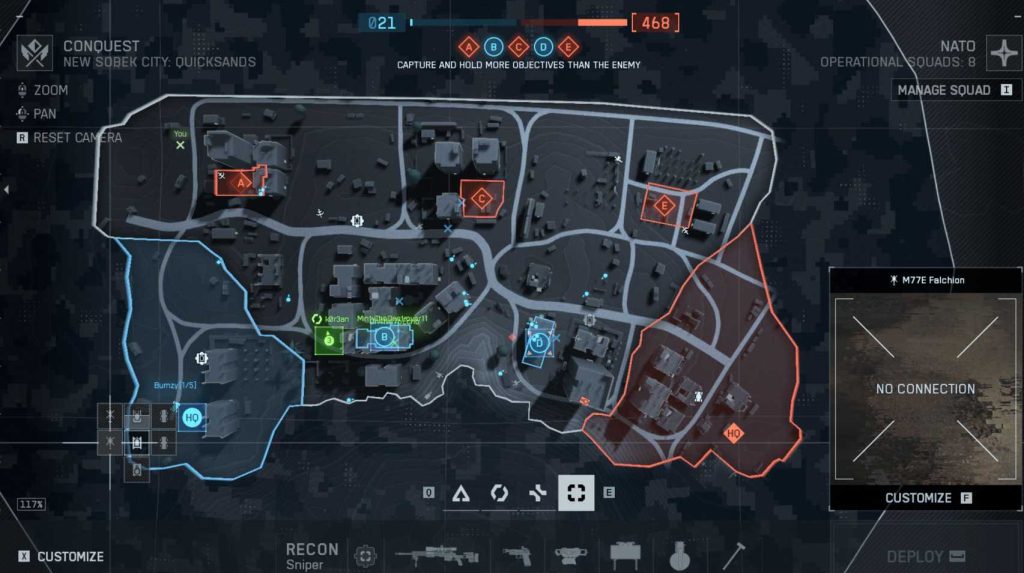
This problem isn’t limited to one platform — it’s happening across all major systems.
The Attack Helicopter spawn bug is linked to a server-side configuration issue in certain conquest maps.
Common causes include:
- Misconfigured vehicle spawn points for NATO and Coalition forces.
- Loadout balancing changes after the recent patch, replacing helicopters with anti-air tanks or flak vehicles.
- Map design errors in New Sobek City and Manhattan Bridge.
- Possible missing content flag triggered during matchmaking.
This results in the helicopters appearing in the loadout screen but never spawning in-game.
Fix 1: Restart the Map Rotation Before Joining Conquest
Before joining a conquest server, back out to the main menu and reload the map rotation.
Players have found that resetting matchmaking occasionally restores missing spawns.
Steps:
- From the main menu, select All-Out Warfare → Conquest.
- Let the map preview load fully.
- Back out to the menu, then rejoin Conquest again.
This refreshes your session and can force Battlefield 6’s spawn logic to reload properly.
Fix 2: Use Portal or Custom Servers to Test Vehicle Spawns
If you suspect the issue is limited to official servers, try loading New Sobek City or Manhattan Bridge in the Portal editor or a custom server.
- Go to Battlefield Portal → Create Experience.
- Select Conquest as the mode.
- Add Attack Helicopters manually to the spawn list.
- Launch the match locally.
If helicopters appear here but not in official modes, it confirms a server configuration bug rather than a game file issue.
Fix 3: Repair Battlefield 6 Installation (EA App / Steam)
Sometimes, corrupted or outdated vehicle files prevent proper spawns.
On EA App:
- Go to My Library → Battlefield 6 → Manage → Repair.
On Steam:
- Right-click the game → Properties → Installed Files → Verify Integrity of Game Files.
Once repaired, restart your PC or console and try loading New Sobek City again. This fix often restores the correct vehicle rotation.

Fix 4: Switch Sides or Server Between Rounds
Players on Reddit and EA forums have noted that helicopters spawn normally for one faction (usually the opposing team).
Switching sides or moving to a new server between rounds can sometimes trigger a different spawn configuration.
After switching, if helicopters appear for your team, it confirms an asymmetric spawn issue — not a missing content bug.
Fix 5: Disable “Missing Content” Warning on Xbox
Some Xbox users report the “Missing Content” flag when joining Conquest maps.
This can block vehicles like helicopters from spawning entirely.
To fix it:
- Go to Settings → Storage → Battlefield 6 → Saved Data.
- Delete local cache and re-sync with cloud data.
- Relaunch the game.
This removes the content restriction flag and allows normal spawn behavior.
Fix 6: Reinstall the Vehicle Pack (If Available)
Certain optional content packs — especially on console — include vehicle assets like helicopters.
Reinstalling them can restore missing spawn logic.
Steps:
- On Xbox/PlayStation dashboard, go to Battlefield 6 → Manage Game Content.
- Check if Vehicle Pack or Warfare Assets are installed.
- If not, reinstall or enable them.
Restart your console and relaunch Conquest on New Sobek City to test.
Fix 7: Avoid Cross-Play During Conquest
Cross-play can cause sync mismatches between different platforms’ vehicle spawn rules.
Turning it off helps isolate the issue.
To disable:
- Go to Options → Gameplay → Cross-Play → Turn Off.
- Restart the game.
This can help restore standard helicopter spawns during sessions hosted by your native platform.
Fix 8: Test on a Different Game Mode
Load the same maps (New Sobek City, Manhattan Bridge, Operation Firestorm) in Breakthrough or Rush mode.
If helicopters spawn there, the issue is mode-specific, confirming a Conquest-only bug.
This helps provide clear details when reporting the bug to EA Support or forums.
Fix 9: Report to EA Help and Share Server ID
To help EA prioritize the fix, share your server ID from the bugged session.
How to report:
- Visit https://answers.ea.com.
- Go to Battlefield 6 → Bug Reports.
- Include the affected map, platform, mode, and server ID.
- Mention “Attack Helicopter not spawning — New Sobek City / Manhattan Bridge Conquest.”
This allows EA’s QA team to identify which server configurations are breaking.
Fix 10: Wait for EA’s Spawn Logic Patch
EA DICE is aware of multiple vehicle spawn issues, especially with helicopters and jets in Conquest mode.
A server-side patch is expected to fix the Battlefield 6 Attack Helicopter Bug globally.
You won’t need to download anything — once the fix goes live, it will automatically update vehicle spawn rules on all maps.
Keep an eye on the @BattlefieldComm and EA Support channels for patch rollout news.
Fix 11: Reset Server Browser Filters to Force Full Vehicle Rotation
Sometimes the Battlefield 6 Attack Helicopter Bug occurs because your server browser or matchmaking filters are stuck in a corrupted state.
Resetting them forces the game to re-fetch proper vehicle rotation data.
How to do it:
- Go to All-Out Warfare → Server Browser → Filters.
- Turn off all filters, including “Vehicles Only” or “Official Servers Only.”
- Refresh the browser and join a new Conquest match.
Doing this ensures you connect to servers that have up-to-date vehicle rotation files — restoring attack helicopter spawns on New Sobek City and Manhattan Bridge.
Fix 12: Join a Different Region Server
The New Sobek City helicopter spawn issue seems more common on specific regional servers.
Players in North America and Europe report it more frequently than those in Asia or Oceania.
To change your server region:
- Open Settings → Gameplay → Region.
- Choose a different region (e.g., Europe → Asia).
- Restart the game and rejoin Conquest.
Switching servers reloads the vehicle configuration list, which can bypass the Battlefield 6 helicopter not spawning bug temporarily.
Fix 13: Delete Temporary Cache Data from Battlefield 6 Folder
Corrupted cache files can interfere with spawn logic, especially after updates.
For PC:
- Press Win + R → type
%ProgramData%/EA Desktop→ Delete the “Cache” folder. - Then go to
%AppData%/Roaming/EA Games/Battlefield 6→ Delete “Temp” and “Logs.” - Restart your computer and relaunch the game.
This forces the EA App to reload updated content and can help resolve Battlefield 6 missing content Xbox/PC issues, including vehicle spawn bugs.
Fix 14: Avoid Quick Play — Use Server Browser Instead
Quick Play often joins you to bugged or outdated servers that haven’t refreshed vehicle rotation properly.
Instead, manually select your map.
Steps:
- Go to Server Browser.
- Search specifically for New Sobek City (Conquest).
- Join an active match with more than 60 players.
Players report this method fixes the attack helicopter spawn glitch more often than joining through Quick Play matchmaking.
Fix 15: Switch Between Air and Ground Vehicle Loadouts Before Match Start
Before the match begins, switch between Air Vehicle and Ground Vehicle loadouts in the spawn menu.
This sometimes forces the Battlefield 6 server to reload the missing helicopter configuration.
How to do it:
- During the pre-match lobby, open Vehicles → Edit Loadout.
- Select any helicopter preset, then switch to a tank preset.
- Wait 10 seconds, then switch back to helicopter.
- Once the game starts, check if the attack chopper is now available.
This trick refreshes local spawn data and occasionally resolves the helicopter not spawning bug instantly.
Fix 16: Clear Reserved Space on Consoles (Xbox & PlayStation)
Console players often face the Battlefield 6 missing content bug due to corrupted reserved space.
Clearing it resets game content files.
For Xbox:
- Go to My Games & Apps → Battlefield 6 → Manage Game & Add-ons.
- Highlight “Saved Data” → select Delete Reserved Space.
For PlayStation:
- Go to Settings → Storage → Saved Data → Battlefield 6.
- Delete temporary saved content (not profile data).
Reboot your console and rejoin a Conquest session — helicopters should now spawn normally.
Fix 17: Manually Sync Your Battlefield 6 Profile Data with EA Servers
Profile desynchronization is another major cause of vehicle and content bugs.
A quick manual sync can refresh your in-game content database.
Steps:
- Log out of your EA App or console profile.
- Wait 60 seconds, then log back in.
- Launch Battlefield 6 and stay on the main menu for 30 seconds before starting matchmaking.
This action forces the EA servers to verify your vehicle entitlement data, fixing missing Attack Helicopters and Jets on certain maps.
Fix 18: Reinstall Only the Multiplayer Component (PC/Console)
If you’re on Xbox Series X, PS5, or PC, Battlefield 6 allows partial component reinstallation.
Reinstalling the multiplayer module alone often fixes broken spawn files.
Steps:
- Go to Manage Game → Battlefield 6 → Installed Content.
- Uncheck Multiplayer Mode and confirm uninstall.
- Reinstall it, restart your device, and rejoin Conquest.
This ensures fresh spawn scripts for New Sobek City, Manhattan Bridge, and Operation Firestorm are downloaded cleanly.
Fix 19: Check for Game Mode Updates or Map Rotation Events
EA sometimes modifies Conquest map rotation and vehicle loadouts through silent live updates.
If your Attack Helicopter spawn disappeared recently, it may have been changed temporarily.
Check updates:
- Follow @BattlefieldComm and EA.com/battlefield-updates.
- Look for “Vehicle Balance Adjustments” or “Map Rotation Changes.”
If EA has officially replaced helicopters with anti-air tanks or flak turrets, the absence isn’t a bug but a design change.
Fix 20: Wait for Battlefield 6 Server Refresh During Scheduled Maintenance
When EA performs server maintenance, spawn and vehicle logic files are reloaded globally.
These backend updates often fix persistent Battlefield 6 Attack Helicopter Bugs automatically.
What to do:
- Stay logged out during maintenance.
- Log back in after the downtime window (usually early morning UTC).
- Join a Conquest server and test New Sobek City again.
After server refresh, helicopters and missing vehicles typically respawn as intended — without needing player-side action.
Why Don’t Attack Helicopters Spawn on New Sobek City in Battlefield 6?
The Battlefield 6 Attack Helicopter Bug on New Sobek City occurs because the game’s vehicle-spawn logic fails to initialize air assets for both teams. In Conquest mode, each faction is supposed to receive one attack helicopter at the start of the round, but a recent update broke the spawn configuration files tied to that map.
This bug appears to be caused by a server-side vehicle rotation error. When the match loads, the helicopter spawn nodes either don’t register or are replaced with anti-air tanks. As a result, players see the helicopter listed in the vehicle menu, yet it never becomes available throughout the match.
The issue is most common on New Sobek City, though similar problems are being reported on Manhattan Bridge and Operation Firestorm. Until EA pushes a patch, players can try switching servers, verifying game files, or using the Portal mode to confirm if helicopters spawn correctly there.
Is the Battlefield 6 Attack Helicopter Bug Happening for Everyone?
Yes — the Battlefield 6 helicopter spawn glitch affects players across PC, Xbox, and PlayStation, though not always at the same frequency. The bug is widespread but inconsistent, meaning some servers load the attack helicopter properly while others don’t.
Reports from the Battlefield 6 forums show that the New Sobek City map is most affected. Entire matches go by without either team ever seeing their helicopters spawn, creating severe balance problems. NATO squads especially struggle to counter elevated snipers or tanks without aerial support.
While nearly everyone can encounter this issue, it’s more common on Conquest servers using older map rotations or unrefreshed configurations. EA DICE has acknowledged the problem internally, calling it a vehicle-spawn configuration bug, and is expected to resolve it through a server-side update.
Players can reduce the chance of encountering the glitch by joining newly refreshed servers, avoiding Quick Play matchmaking, and testing Portal lobbies where vehicle spawns are manually controlled.
Do Both Teams Get Helicopters in Battlefield 6 Conquest Mode?
Under normal conditions, yes — in Battlefield 6 Conquest mode, both factions should receive at least one attack helicopter and one transport helicopter each. These aircraft are designed to balance map control and give both teams equal air-to-ground capability.
However, because of the ongoing Battlefield 6 Attack Helicopter Bug, one or both teams sometimes fail to receive their aircraft. On New Sobek City and Manhattan Bridge, players report that only one faction — often the Coalition — spawns helicopters, while the NATO side remains grounded.
This imbalance drastically changes gameplay dynamics: the team with a helicopter can dominate objectives, while the other is forced to rely on ground anti-air vehicles. The problem isn’t intentional design but a spawn initialization failure within the current game build.
EA DICE has confirmed that equal helicopter access is intended in all Conquest maps and is working to restore proper vehicle parity in a future patch.
Why Is NATO Missing Helicopters on Battlefield 6 New Sobek City?
The NATO helicopter missing bug on New Sobek City stems from a broken spawn-point mapping for that faction. Battlefield 6’s map configuration files assign spawn zones differently to NATO and Coalition forces. After a recent update, the NATO airbase node on Sobek City appears to be disabled or replaced by ground vehicles.
Because of this, only the opposing team’s helicopter slot initializes, leaving NATO players without any air support throughout the entire Conquest match. This issue isn’t limited to Xbox or PC — it occurs across all platforms.
Community reports show that the bug also appears in Operation Firestorm and Manhattan Bridge, making it clear the issue lies within server configuration, not player hardware.
Until EA DICE fixes the glitch, NATO players can try switching servers, rejoining mid-match, or disabling cross-play, which sometimes resets spawn logic. The developers are aware that the Battlefield 6 NATO helicopter glitch breaks map balance and are expected to address it in the next major update.
Is the Helicopter Spawn Issue in Battlefield 6 Intentional or a Bug?
The missing attack helicopter spawn in Battlefield 6 Conquest mode is not intentional — it’s a confirmed bug. Some players initially believed EA had replaced helicopters with additional anti-air tanks or flak guns for balancing, but developer responses and player testing have proven otherwise.
The Battlefield 6 Attack Helicopter Bug is a technical issue where the game’s vehicle rotation system fails to register aircraft for one or both teams. It affects specific maps, notably New Sobek City, Operation Firestorm, and Manhattan Bridge, where helicopters remain greyed-out in the vehicle menu.
EA DICE has listed this issue under their live-service investigation queue and confirmed that helicopters are meant to spawn for both factions in every Conquest match.
Until the fix goes live, players can work around it by restarting matchmaking, repairing files, or using custom servers where vehicle spawns can be edited manually. The official patch is expected soon, restoring balanced Battlefield 6 helicopter gameplay across all platforms.
How to Fix Missing Attack Helicopters in Battlefield 6 Conquest Mode
If your attack helicopters aren’t spawning in Battlefield 6 Conquest mode, you’re likely encountering the widespread Battlefield 6 helicopter spawn bug. This issue causes air vehicles to appear in the spawn menu but never actually deploy.
To fix it, start by repairing your game files through the EA App or Steam. Then, clear your game cache and restart Battlefield 6 to force the server to reload vehicle spawn data. On console, you can delete “reserved space” in storage settings to achieve the same refresh.
If you’re playing on New Sobek City, Manhattan Bridge, or Operation Firestorm, try joining a different server or switching factions — sometimes one team’s spawn points are broken while the other’s are not.
Until EA releases a patch, players can also test Portal mode to manually spawn helicopters and confirm whether it’s a server-side or local configuration bug.
Does Restarting or Switching Servers Restore Helicopter Spawns in BF6?
Yes — restarting Battlefield 6 or switching servers is one of the most effective temporary fixes for the missing attack helicopter bug in Conquest mode. Many players have confirmed that the helicopter fails to spawn only on certain bugged servers, while others load normally.
When you restart the game, Battlefield 6 reinitializes your connection to the EA backend, reloading all vehicle rotation scripts. Similarly, joining a fresh or different region server (for example, switching from North America to Europe) forces the game to pull the most recent vehicle spawn configuration.
Players have also noticed that the bug occurs less frequently in matches with balanced teams or recent restarts. So if you join a lobby that’s been running for hours, your chances of seeing the helicopter spawn issue increase.
If helicopters still fail to appear after multiple server changes, it’s likely tied to EA’s server configuration bug, which will require a global patch from DICE.
Can Updating Battlefield 6 or Resetting Cache Fix Vehicle Spawn Bugs?
Yes — keeping your Battlefield 6 client fully updated and regularly resetting your cache can significantly reduce vehicle spawn glitches like the missing helicopter bug.
EA DICE frequently pushes small, silent updates that adjust server-side vehicle behavior, and your client must be in sync to receive those fixes. If your game isn’t up-to-date, you might be playing with outdated vehicle configuration files, preventing helicopters from spawning correctly in Conquest.
To reset cache on PC:
- Press Win + R → type
%ProgramData%/EA Desktop→ delete the “Cache” folder. - Restart the EA App and reverify Battlefield 6.
On Xbox/PlayStation:
- Go to Storage → Saved Data → Battlefield 6 → Delete Reserved Space.
These steps clear corrupted local data and allow Battlefield 6 to fetch fresh spawn scripts. After restarting, join a Conquest match — helicopter spawn points should reappear if the issue was client-side.
How to Report Missing Vehicle Spawn Bugs to EA (Battlefield 6)
To help EA fix the Battlefield 6 missing helicopter issue, you can submit a detailed bug report through official channels.
Here’s how to report effectively:
- Visit https://answers.ea.com.
- Go to Battlefield 6 → Bug Reports → Report an Issue.
- Include the following details:
- Map name (e.g., New Sobek City or Manhattan Bridge).
- Mode (Conquest / Breakthrough).
- Platform (PC, Xbox, PlayStation).
- Description: “Attack Helicopters not spawning or greyed out for one team.”
- Add your server ID and time of match.
You can also tag @EAHelp or @BattlefieldComm on X (Twitter) with screenshots for faster attention.
The more detailed your report, the faster EA’s live-service team can replicate and patch the Battlefield 6 helicopter spawn glitch globally.
Is There Any Workaround to Force Helicopter Spawns in Battlefield 6?
While there’s no guaranteed way to “force” attack helicopters to spawn, several temporary workarounds have proven effective for players facing the Battlefield 6 Conquest helicopter glitch.
- Switch Servers: Join a freshly restarted or different-region server.
- Reapply Vehicle Loadout: Switch between air and ground vehicles in the spawn screen to refresh vehicle data.
- Use Portal Mode: Launch New Sobek City or Manhattan Bridge in Battlefield Portal and manually enable helicopter slots — this often confirms the bug is server-related.
- Restart the Game: Rebooting Battlefield 6 forces a new connection to EA’s backend vehicle scripts.
If helicopters still don’t spawn, it’s almost certainly a server-side issue with EA’s Conquest mode rotation.
Until an official patch arrives, these workarounds help minimize the impact and keep gameplay balanced while the developers fix the bug.
Final Thoughts
The Battlefield 6 New Sobek City Attack Helicopter Bug has become one of the most frustrating issues in Conquest mode. Players across Xbox, PC, and PlayStation are reporting missing attack helicopter spawns that drastically affect gameplay balance — especially for NATO teams.
Until EA rolls out an official fix, the best solutions are restarting matchmaking, repairing game files, disabling cross-play, or using Portal mode to manually test vehicle spawns.
Stay tuned for updates as EA investigates and patches this Battlefield 6 helicopter spawn glitch in an upcoming live-service update.