
The Battlefield 6 single shot glitch is one of the most frustrating bugs right now, especially in close-range fights where you start spraying but your weapon fires one bullet and then stops.
Players report this happening every match, making the game feel unplayable and completely ruining gunfights.
The glitch often appears during intense fights, while ADSing, sprinting, or swapping weapons — and it affects both new and experienced players. Until EA fixes it, here are the best working solutions to stop the single-fire bug and regain full-auto control.
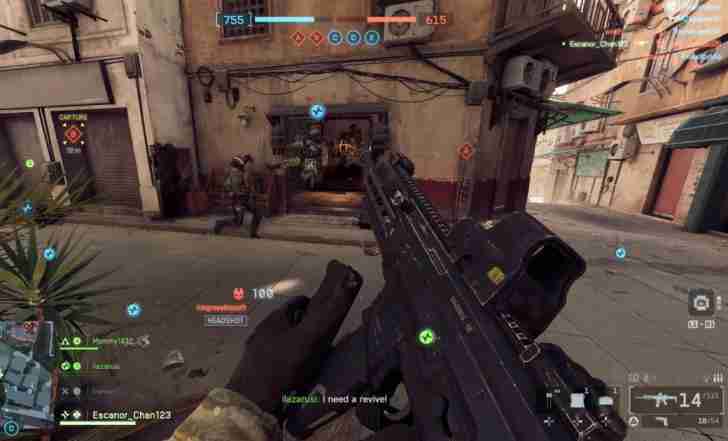
Quick Fix
Turn Weapon Firing Mode → Full Auto after every respawn — the current bug sometimes resets firing mode to single-shot without showing UI changes.
Fix 1 – Recheck Weapon Firing Mode After Each Spawn
The Battlefield 6 single shot glitch frequently resets guns to semi-auto mode.
Sometimes the UI still shows full-auto, but internally the weapon is stuck on single round.
Manually toggling the fire mode after spawning resets it correctly.
Steps:
- Press V (PC) / DPAD Left (Console)
- Switch Semi ↔ Burst ↔ Full Auto
- Ensure Full Auto is active
How it helps: Restores proper firing mode so guns stop shooting only one bullet.
Fix 2 – Disable Auto-Tactical Sprint (Interferes With Firing Input)
Auto-Tac sprint interrupts firing inputs and causes the gun to register only single shots.
The glitch tends to appear when you fire right after sprinting.
Turning it off stabilizes the trigger response.
Steps:
- Settings → Controller / Movement
- Turn Auto Tactical Sprint OFF
How it helps: Prevents movement from breaking full-auto firing.
Fix 3 – Check for Trigger Deadzone Issues (Especially on Controllers)
A misconfigured trigger deadzone causes the game to think you’re tapping instead of holding.
This results in single bullet firing even with full auto weapons.
Adjusting deadzones eliminates the false input.
How it helps: Makes the game properly detect long trigger holds.
Fix 4 – Turn Off Adaptive Triggers (PS5)
Adaptive Trigger resistance can interrupt the constant firing signal.
The trigger bounce or pressure inconsistency leads to the one-shot glitch.
Turning them off fixes it instantly.
How it helps: Ensures smooth, uninterrupted full-auto firing.
Fix 5 – Change Your Fire Button Binding
If your fire input is bound to a key that’s overloaded by other actions,
Battlefield 6 may interpret it as a tap instead of a hold.
Rebinding to a fresh button resolves this.
How it helps: Eliminates input conflicts that mimic single-fire behavior.
Fix 6 – Lower Your Input Buffering Setting
High input buffering sometimes causes Battlefield 6 to drop hold inputs.
This leads to the gun firing one bullet and stopping.
Lowering buffer settings improves responsiveness.
How it helps: Prevents the engine from mis-reading your fire input as a single tap.
Fix 7 – Turn Off Mouse/Controller Acceleration
Acceleration can make the game misinterpret inputs during intense movement.
When you fire while turning fast, the shot may register as a single click.
Turning acceleration off stabilizes inputs.
How it helps: Keeps firing signals clean even during fast movement.
Fix 8 – Update Your Weapon Attachments
Certain attachments (especially grips and tactical rails) are currently bugged.
Some cause weapons to default into semi-auto mid-fight.
Changing to different attachments often fixes the issue.
How it helps: Removes attachment-related firing bugs.
Fix 9 – Disable Crossplay (Server Input Sync Bug)
Crossplay server instances sometimes mis-handle input packets.
This results in delayed or dropped fire input signals.
Disabling crossplay can eliminate these desync issues.
How it helps: Ensures consistent full-auto firing on platform-specific servers.
Fix 10 – Restart the Game After Every Patch
Some patches temporarily break input or weapon logic.
Restarting clears corrupted memory and restores firing behavior.
Especially helpful if the glitch starts suddenly after an update.
How it helps: Resets backend firing logic and removes session-based glitches.
Fix 11 – Turn Off “Hold to ADS” (Causes Fire Input to Cancel Itself)
If you use Hold ADS, Battlefield 6 sometimes drops the fire input during the ADS transition.
This results in one bullet firing, then the rest being canceled.
Switching to Toggle ADS stabilizes the continuous firing signal.
How it helps: Prevents ADS animation from cutting off full-auto fire.
Fix 12 – Reduce Hip-Fire Spread Settings or Sensitivity
High hip-fire sensitivity can cause rapid micro-inputs that the game misreads as firing taps.
During fast fights, these jitter movements can trigger the single shot glitch.
Reducing sensitivity helps keep fire input steady.
How it helps: Prevents turning/moving from interfering with hold-fire behavior.
Fix 13 – Unequip Bugged Weapon Skins or Blueprints
Some weapon skins modify hidden animation data.
A few skins trigger a firing bug that defaults weapons to semi-auto unexpectedly.
Switching to base skins fixes the issue for many players.
How it helps: Removes blueprint/skin conflicts that break firing modes.
Fix 14 – Disable “Use Interact & Fire on Same Button” Settings
If interaction shares a key with firing (common in custom setups),
the game can read the input as interaction instead of shooting, triggering one bullet only.
Set interaction and firing on separate inputs.
How it helps: Prevents button conflicts that cancel continuous shooting.
Fix 15 – Reinstall or Repair Controller Firmware (Xbox/PS5)
If your controller firmware is outdated, the trigger signal may not report “held down.”
This creates the exact same symptom as the Battlefield 6 single shot glitch.
Updating the firmware restores consistent pressure detection.
How it helps: Ensures hardware sends uninterrupted fire signals.
Fix 16 – Increase Fire Trigger Deadzone (Not Decrease)
Some players decrease deadzone thinking it improves response.
But too little deadzone causes micro-release signals while holding the trigger.
Increasing the deadzone slightly can stop the glitch instantly.
How it helps: Prevents tiny trigger movements from being read as fire-release.
Fix 17 – Delete “InputConfig” Folder to Reset Bind Corruption
InputConfig files can become corrupted after patches.
Corruption leads to firing inputs failing to register properly.
Deleting these files forces the game to rebuild clean inputs.
How it helps: Fixes broken input logic that leads to forced single-fire behavior.
Fix 18 – Avoid Switching Weapons While Sprinting
Switching weapons or stances while sprinting can leave the gun in a bugged state.
This state often fires exactly one bullet before freezing.
Walking before switching weapons prevents this trigger bug.
How it helps: Keeps firing logic from getting stuck between sprint → weapon-ready states.
Fix 19 – Turn Off “Low Latency Mode” in NVIDIA Control Panel
For some players, NVIDIA Low Latency Mode drops input packets under CPU load.
This can cause fire input to be read only once per press.
Turning it off improves weapon responsiveness.
How it helps: Stops GPU latency tuning from interfering with firing input.
Fix 20 – Avoid Using Keyboard Macros or Rapid-Fire Buttons
Macros or rapid-fire paddles can override full-auto behavior, making weapons fire once.
If any device is injecting alternate key signals, Battlefield 6 stops reading hold inputs.
Using pure default input devices fixes the glitch.
How it helps: Removes external interference that forces semi-auto behavior.
Why does my gun only shoot one bullet in Battlefield 6?
Your gun shoots only one bullet in Battlefield 6 because the game is accidentally switching your weapon into single-fire mode due to an input conflict. This usually happens when the game detects overlapping inputs from your mouse, keyboard, or controller bindings. Even if you never press the fire-mode key, BF6 may interpret micro-inputs as forced mode changes.
The bug is most noticeable during sprinting, sliding, ADS transitions, or when switching weapons quickly.
Players across PC, Steam, EA App, and console versions are experiencing the same issue.
If your auto-fire keeps dropping to single-shot, it’s almost always related to:
- Input overlap
- Stuck controller bindings
- Weapon stance transitions
- ADS + mouse input conflict
This is a known BF6 issue and not intentional behavior.
Why does my full-auto weapon keep switching to single fire?
Full-auto weapons switch to single fire in BF6 because the game prioritizes ADS directional movement inputs over fire-mode persistence. If your mouse moves slightly while aiming, BF6 may interpret the movement as a “priority override,” resetting your current fire-mode.
Other triggers include:
- Raw Input enabled with jitter
- Controller stick drift
- Double-bound keys for fire mode
- Input polling too high (1000Hz mice)
The bug became significantly worse after the Season 1 update, which changed how BF6 handles “simultaneous inputs.”
As a result, even tiny mouse motions can cause your weapon to switch fire modes without you pressing anything.
Why do my guns stop firing in close-range fights?
Guns stop firing in close-range fights because the engine blends movement + ADS + obstacle detection aggressively. If the game thinks your weapon barrel is clipped into an object, or you are mid-sprint-transition, it temporarily forces a single-tap fire state.
Close-range firefights create the perfect storm:
- ADS transition interruptions
- Mantle detection
- Partial slide animations
- Input priority flipping
- Fire-mode misreads
This makes your weapon feel like it “locks up,” stutters, or fires one bullet at a time.
It’s not intentional weapon jamming — it’s an input-handling bug.
Is the single-shot bug happening to everyone in BF6?
Yes — this is a widely reported Battlefield 6 bug affecting thousands of players. It happens across:
- PC (Mouse + Keyboard)
- PS5 DualSense
- Xbox controllers
- Steam + EA App
- High-DPI mice
- Low-sensitivity setups
The common pattern is that BF6’s post-patch input logic treats multiple inputs (ADS + mouse move + fire) as conflicting commands, causing the fire mode to revert to single fire without user action.
The bug affects rifles, SMGs, LMGs, and even some sidearms.
It’s not your hardware — it’s the game.
Why does my weapon jam or stutter while shooting?
Your weapon feels like it “jams” or “stutters” because Battlefield 6 has an input priority bug where firing is overridden by:
- ADS micro-movement
- Sprint cancel timing
- Controller input leftovers
- Fire-mode switching events
- Netcode timing inconsistencies
This makes full-auto weapons behave like tap-fire rifles.
The gun isn’t actually jamming — BF6 is cancelling sustained fire because it misreads your directional inputs as fire-mode changes or “stop firing” signals.
Players with high polling rate mice (1000Hz+) and raw input enabled experience the bug more often, because the engine receives too many micro-inputs per second.
How do I fix the BF6 single-shot glitch?
The BF6 single-shot glitch happens when the game forces your weapon into single-fire mode due to an input conflict. To fix it, start by checking your keybinds — remove duplicate bindings for “Switch Fire Mode,” especially if it’s bound to both mouse and keyboard. Then, unbind any leftover controller inputs, even if you’re not using a controller. BF6 often reads ghost inputs from disconnected pads.
You should also lower your mouse polling rate from 1000Hz → 500Hz, as Battlefield 6 misreads micro-inputs and treats them as mode-change signals.
Disable Raw Input, turn off mouse smoothing, and test without overlays (Discord, NVIDIA, Steam Input).
If the glitch still happens, switch weapons once, ADS, then reload — this forces BF6 to reapply the correct fire mode.
This issue is widespread and waiting for a patch, but these fixes help reduce it significantly.
Why does Battlefield 6 randomly change my firing mode?
Battlefield 6 randomly changes your firing mode because the Season 1 input update introduced a bug where ADS movement overrides weapon state. Any tiny mouse movement — especially vertical motion while aiming — can cause BF6 to mistakenly read a “switch fire mode” input.
The bug is triggered by:
- Raw Input combined with high DPI
- Ghost controller bindings
- ADS transitions
- Slide or sprint cancels
- Mouse micro-movement during recoil
BF6 prioritizes ADS direction over fire-mode persistence, so if the engine detects both at once, it sometimes defaults your gun to single-fire, even if you’re holding the trigger.
Until DICE fixes the input layering, this behavior will continue for auto weapons, burst rifles, and even LMGs.
Is this a mouse/keyboard bug or a game issue?
It’s both, but mostly the game.
The single-shot glitch is caused by BF6’s flawed input-parsing system, but the engine becomes even more unstable with certain hardware combinations.
The bug appears more frequently for:
- High polling rate mice (1000Hz)
- Mice with analog scroll or tilt sensors
- Dual monitors
- Steam Input enabled
- Leftover controller bindings
When BF6 receives too many micro-inputs at once, it misinterprets them as weapon-mode signals or “stop firing” commands. Even perfect hardware will still encounter the issue because the core bug lives in BF6’s input logic.
So yes, mouse/keyboard setup can make it worse, but the root cause is in the game code.
Does ADS cause firing mode changes?
Yes — ADS is one of the triggers of the single-fire bug.
When you aim down sights, BF6 enters a different input layer, and tiny mouse movements (especially vertical ones) can interrupt or override the current firing mode.
ADS causes firing-mode glitches when:
- You aim and fire at the same time
- You pull down for recoil control
- You snap-aim left or right
- You interrupt ADS with sprint cancel
- You have dual bindings for fire mode
The game tries to prioritize “aiming precision” over “sustained firing,” but the system is bugged and ends up switching many weapons into single-shot.
This is why the glitch happens the most during close-range gunfights where ADS transitions are rapid.
Why do guns not fire when sprinting in BF6?
Your gun doesn’t fire while sprinting because the sprint-to-fire transition is currently broken, causing BF6 to momentarily freeze your weapon in a pseudo single-tap state. When sprinting, sliding, or jumping, the game often cancels your firing input entirely.
Triggers include:
- Sprint → ADS too quickly
- Slide → Fire within 100ms
- Misread of “stop sprinting” state
- Movement priority overriding weapon state
Instead of transitioning smoothly, BF6 briefly thinks you’re still sprinting and blocks full-auto fire. The system is supposed to allow immediate firing after sprint, but the timing window is bugged.
If the game gets stuck in this state, firing one bullet resets it, which is why players experience the “one-shot then nothing” behavior.
Final Thought
The Battlefield 6 single shot glitch is affecting a huge number of players and ruins the close-quarter experience when weapons randomly fire only one bullet. Until EA rolls out an official fix, using the methods above — especially checking fire mode after spawning, disabling Auto-Tac Sprint, adjusting trigger input settings, and removing bugged attachments — will help restore proper full-auto firing so you can actually win your gunfights again.