
A growing number of Star Wars: Galaxy of Heroes (SWGOH) players are reporting a frustrating issue where the game becomes stuck in the crew tutorial loop, preventing access to the ally list and locking the user out of normal gameplay. Players on both Android and iOS have run into the same problem, often around the level 25–30 range when progressing through Mace Windu, Endurance, or early fleet content.
This SWGOH crew tutorial bug traps players in the mandatory tutorial sequence, loops endlessly, and does not allow exiting the UI. Several players have reported spending money only to find themselves stuck with no way to continue the game.
Here’s why the bug happens and the current working solution.
Why the SWGOH Crew Tutorial Loop Happens
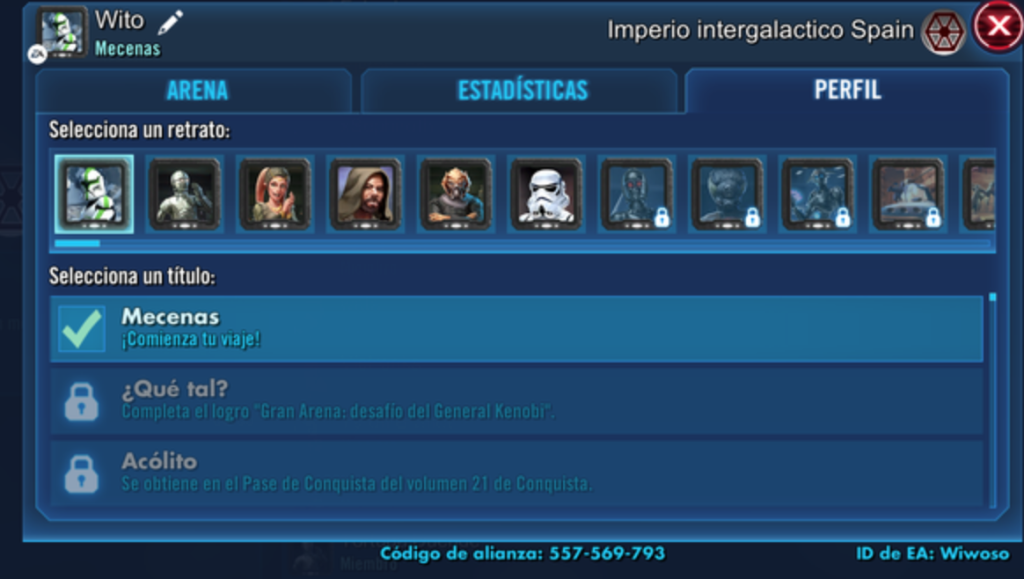
The bug is caused by a tutorial state desync, where the game forces you into the crew/fleet tutorial but fails to update the internal progress flag.
This causes:
- The tutorial to restart repeatedly
- The game to block ally access
- No way to exit the tutorial UI
- A complete gameplay lock until the backend is fixed
This is not something players can fix on their own — it requires EA to manually reset the broken tutorial flag for each affected account.
???? Quick Fix
You must contact EA with your ally code so they can reset your tutorial state.
Once EA refreshes the account flag, the game immediately unlocks and works normally again.
Fix #1: Submit Your Ally Code to EA Support (Only Official Fix)
Players affected by the SWGOH crew tutorial bug confirm the only real solution is having EA support reset the tutorial step tied to your account.
Examples from the report:
- 682-571-191
- 179-717-319
- 128-944-994
- 598-481-139
As soon as the EA QV Team reset these accounts, players replied saying “All is good.”
EA must perform this reset on their side — the bug cannot be bypassed through normal gameplay.
Fix #2: Restart the App After EA Refreshes the Account
After EA resets your tutorial flag, fully restart:
- The app
- Your device
- And re-log in
SWGOH will load your corrected account state and skip the broken tutorial instantly.
Fix #3: Avoid Pressing Back or Switching Menus Mid-Tutorial
While not a full fix, several players trigger the loop by:
- Tapping outside the tutorial arrow
- Backing out too early
- Leaving the screen during the animation
Avoid touching anything outside the tutorial prompts until EA resolves the bug for your account.
Fix #4: For iOS Players — Disable Background App Refresh Before Restarting
Some iOS players found the tutorial state doesn’t clear until background refresh is off.
Go to:
Settings → General → Background App Refresh → OFF
Then restart SWGOH after EA performs the fix.
Fix #5: Android Players — Clear Cache After EA Applies the Reset
On Android:
Settings → Apps → SWGOH → Storage → Clear Cache
This forces the game to pull your corrected tutorial state from the server.
Fix #6: Verify Your EA Account Is Properly Linked
If the game is stuck using a partial guest profile state, the tutorial won’t advance.
Ensure you are logged into:
- Google Play
- EA Account
- Game Center (iOS)
Then restart the game.
Fix #7: Avoid Reinstalling Until EA Applies the Fix
Reinstalling won’t fix the tutorial loop unless EA has already corrected the progress flag.
However, after EA resets the account, a reinstall can help the game pull fresh data cleanly.
Fix #8: Check for Region-Based UI Bugs (iPhone Users in EU)
Some European iOS players, including those in Austria, report higher rates of the bug.
Location doesn’t cause it, but regional UI settings sometimes complicate the tutorial.
After EA fixes the account, switch device language once, restart, then switch back.
Fix #9: Avoid Trying to Skip or Force-Close During Fleet Tutorials
Multiple users triggered the loop specifically while interacting with:
- Mace Windu
- Endurance
- Early Fleet battles
Do not skip or multitask during these scenes until your account works normally.
Fix #10: Contact EA Immediately If You Spent Money
Players who purchased packs or Crystals understandably feel stuck with no progress.
EA typically prioritizes accounts where recent purchases were made, as the bug prevents access to core gameplay.
Is the SWGOH tutorial loop caused by a bug in the Endurance mission?
Yes — the SWGOH crew tutorial loop is strongly connected to a scripting bug within the early Endurance mission where Mace Windu guides players through the ship and crew system.
During this mission, the game is supposed to update an internal “tutorial progress flag” that tells the system you completed the crew/fleet step. However, for many players, that flag never updates.
This causes SWGOH to repeatedly reload the same tutorial sequence every time you enter the menu.
The loop often triggers around level 25–30 because that’s when players first access the Endurance tutorial. If this state becomes corrupted, the game soft-locks and forces you back into the crew tutorial without any way to exit.
Because the issue occurs server-side, not on the device, no amount of reinstalling or restarting will fix it — it requires EA to manually reset that corrupted tutorial step.
Does this crew tutorial issue affect both Android and iOS players?
Yes — the SWGOH crew tutorial loop bug affects both Android and iOS players. Reports show the issue occurring on a wide range of devices, including:
- Android phones
- iPhone 12 / 13 / 14
- iPads
- Samsung tablets
- Google Pixel devices
Because the problem is caused by a backend tutorial flag misfiring, the platform doesn’t matter. Even players with identical devices see different results depending solely on whether their tutorial state becomes corrupted.
Several iOS players from Europe (e.g., Austria) also reported that language and regional settings made the UI behave differently, but they confirmed the root cause was the same: a stuck tutorial event tied to the ship/crew system.
This confirms that the issue is server-side and account-based, not platform-specific.
Once EA resets the account, players on both Android and iOS immediately exit the tutorial loop.
Is the SWGOH ship tutorial soft-locked due to event scripting errors?
Yes — the ship and crew tutorial becomes soft-locked due to event scripting errors in Star Wars: Galaxy of Heroes.
The game relies on a very old tutorial system that triggers specific UI steps one at a time:
- Open crew menu
- Tap Endurance
- Assign crew
- Return to fleet screen
If any one of these steps fails to register — usually because the tutorial script didn’t update the progress flag — the game assumes you did not complete the task and loops you back into the same forced action.
This is why players cannot:
- Exit the tutorial
- Access allies
- Navigate the UI normally
- Continue leveling
The script error prevents the game from advancing the tutorial state, so it repeats indefinitely.
The soft-lock is not caused by your actions.
It is a backend scripting failure that requires EA to repair your account’s tutorial progress.
Are ally code resets required to fix the SWGOH tutorial bug?
Yes — providing your ally code to EA is the only confirmed fix for the SWGOH crew tutorial loop bug.
Players cannot break out of the loop with normal gameplay, because the issue is tied to a corrupted tutorial step stored on EA’s servers.
When you provide your ally code, EA Support or the EA QV Team manually resets or clears the stuck “crew tutorial flag” attached to your account.
The moment this reset is applied:
- The tutorial disappears
- The UI unlocks
- Fleet actions resume
- Allies become accessible
Multiple players (e.g., 682-571-191, 179-717-319, 128-944-994, 598-481-139) confirmed that the tutorial loop ended immediately after EA reset their flags.
This means yes, an ally code reset is required.
It is the only proven fix because the bug is server-side, not on your phone.
How did EA fix the SWGOH crew tutorial issue for other players?
EA fixed the SWGOH crew tutorial issue by manually resetting each affected player’s tutorial progress using their ally code.
When players submitted their codes in the forum thread, the EA QV Team changed their account status from New → Fixed.
Once the reset was applied:
- The stuck tutorial was removed
- The fleet/crew system unlocked
- Players regained access to allies
- The game resumed normal functionality
Comments like “All is good, thanks” confirm the fix works instantly once EA updates the backend state.
EA did not require device troubleshooting, reinstalling, cache clearing, or OS changes.
The repair was purely a server-level flag correction.
This means EA’s fix involved updating the broken fleet/crew tutorial flag that failed to advance due to a scripting bug — restoring the account’s proper progression.
How to fix the stuck in crew tutorial loop in SWGOH?
The only effective way to fix being stuck in the crew tutorial loop in SWGOH is to have EA manually reset your tutorial progress.
This bug happens when the fleet/crew tutorial fails to register one of its required steps, usually during the Endurance or Mace Windu ship introduction. Once the tutorial flag becomes corrupted, the game forces you back into the same UI actions over and over with no way to exit.
Players cannot fix this by restarting, reinstalling, or advancing through menus.
The tutorial system is fully server-controlled, so a backend reset is required.
Submit your ally code to EA Support or in the official bug thread. Once EA resets the tutorial flag tied to your account, the loop disappears instantly and the game unlocks normally.
Many players have confirmed that this is the only reliable fix for the SWGOH crew tutorial soft-lock.
Can EA fix my SWGOH account that’s stuck in the tutorial?
Yes — EA can fix any SWGOH account stuck in the crew tutorial by resetting the corrupted tutorial state on their server.
This is exactly how EA resolved the issue for multiple players in the official thread. Once players shared their ally codes, the EA QV Team manually updated the tutorial flag from “in progress” to “completed,” instantly unlocking the fleet and crew interface.
This reset is quick and does not require device troubleshooting.
Players reported immediate success after EA applied the fix, saying everything unlocked and the game finally progressed past the loop.
If your game is stuck in the tutorial, submit your ally code to EA Support or the official bug report forum.
It is currently the only working solution because the issue is stored in your account profile, not on your device.
Does reinstalling SWGOH fix the crew tutorial loop?
No — reinstalling SWGOH does not fix the crew tutorial loop, because the problem is not on your device.
The bug is caused by a server-side tutorial flag that fails to update after the crew or Endurance step. Reinstalling simply reloads the same corrupted state from EA’s servers, putting you right back into the loop the moment you open the game.
Players have confirmed that reinstalling, clearing cache, switching devices, logging in and out, or resetting the app does nothing.
As long as the tutorial flag is broken, the game forces you back into the tutorial overlay every time you open the crew menu.
Only EA can fix this by resetting your ally-code tutorial state, which immediately releases your account from the loop.
Reinstall only helps AFTER EA resets the flag, allowing the game to pull your fresh data cleanly.
Why can’t I skip the tutorial after unlocking Mace Windu’s ship?
You can’t skip the tutorial after unlocking Mace Windu’s Endurance ship because the SWGOH tutorial engine is hard-coded and must complete a sequence of scripted steps.
If one of these steps fails to trigger — such as assigning a crew member or tapping a highlighted button — the game believes the tutorial is incomplete. This forces it to reload the same step indefinitely.
The tutorial overlay disables nearly all UI controls, blocking you from exiting, backing out, or navigating anywhere else.
Because the bug occurs during a mandatory fleet introduction, the forced loop cannot be bypassed by normal gameplay.
Skipping isn’t possible because the tutorial scripting is controlled on EA’s server, not on your phone.
Only a manual tutorial flag reset by EA will allow your account to exit the loop and continue normally.
Will EA automatically fix player accounts affected by the tutorial bug?
EA does not automatically fix accounts; players must request a reset.
Although EA fixed several accounts in the thread, they only repaired those where the user submitted their ally code. The crew tutorial loop is an individual account-level corruption, not a global bug that can be patched automatically.
Because the issue occurs inconsistently and only affects some accounts, EA must manually adjust each player’s tutorial state.
Once you provide your ally code, EA Support or the EA QV Team can update your tutorial progress flag, immediately removing the loop.
Until you send your code, the game will remain stuck, no matter how many times you restart or reinstall.
Final Thoughts
The SWGOH crew tutorial loop bug is a backend issue — not a device, platform, or user error. Only EA support can fix it by resetting the tutorial flag tied to your ally code.
Once reset, players report:
✔ Tutorial gone
✔ UI unlocked
✔ Allies accessible
✔ Full gameplay restored
Read also: Battlefield 6 KTS100 Unlock Bug : Solved