
So you plant your tomato seeds, wait a few in-game days… and nothing happens. Meanwhile, every other crop is growing just fine. Annoying, right? If tomatoes are not growing in Hytale, the good news is you’re not missing a hidden mechanic — you’ve run into a known farming issue.
Why Tomatoes Don’t Grow in Hytale
Right now, Hytale tomato growth can stop completely when the area unloads. If you fast travel, move too far away, log out, or leave the zone, tomato plants may freeze in place. Other crops usually keep growing, which makes this feel like a bug — because it probably is.
That’s also why tomatoes might grow once, then refuse to grow again in the exact same setup.
What You Can Do Right Now
The most reliable workaround is to keep the farm area loaded until the tomatoes finish growing. Stay nearby, avoid fast travel, and don’t leave the zone while they’re still in early growth stages. Many players place tomato farms close to their main base so the area naturally stays active while crafting or organizing inventory.
If you’re waiting days and nothing changes, you’re not doing anything wrong. Tomatoes not growing in Hytale is a consistency issue tied to area loading, not soil, light, or planting mistakes. Until this gets adjusted, staying close during growth is the safest way to get a full harvest.
Read also: Is Hytale Always Online? Why Singleplayer Still Needs Internet
How to Fix the Tomato Growth Bug in Hytale
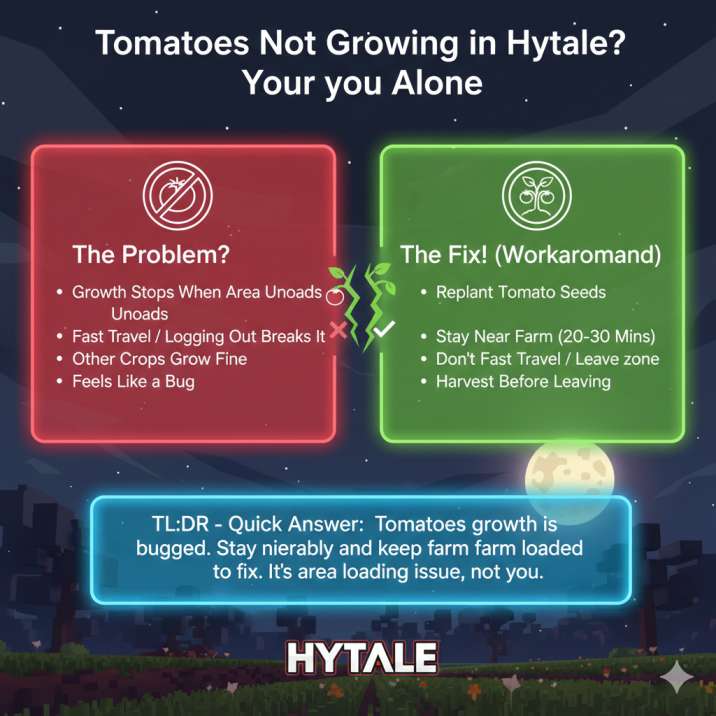
This is the most reliable workaround players have found so far. It’s not flashy, but if you follow these steps exactly, tomatoes will grow normally again.
- Replant your tomato seeds
Don’t wait on crops that are already stuck. Breaking them and planting fresh seeds gives the growth cycle a clean start. - Stay close to the farm at all times
Do not fast travel, don’t explore far away, and avoid anything that could unload the area. If the zone unloads, tomato growth can freeze. - Remain nearby for 20–30 real-time minutes
You can craft, organize storage, or idle safely, but stay within range so the area stays active and growth continues. - Harvest before leaving the zone
Once tomatoes are fully grown, collect them immediately. Leaving before harvest risks the bug triggering again. - Build your tomato farm near your main base
This keeps the area loaded naturally during normal gameplay and reduces the chance of growth stopping mid-cycle.
The key takeaway is simple: this bug isn’t about soil, light, or layout. Keeping the area loaded is what makes tomato farming work consistently right now.
What Won’t Fix It in Hytale
If your tomatoes still aren’t growing, these are the most common things players try that won’t actually solve the problem. They might feel logical, but they don’t address the real cause of the tomato growth bug.
- Waiting multiple in-game days while you’re elsewhere
Letting time pass doesn’t help if you’re not nearby. When the area unloads, tomato growth stops completely, no matter how many days go by. - Replanting seeds over and over without staying nearby
Replanting alone doesn’t reset the bug. If you leave the zone again, the new seeds can freeze just like the old ones did. - Changing lighting, soil type, or layout alone
Torches, enclosed rooms, better soil, or rearranging plots won’t fix it by themselves. The issue isn’t growth conditions — it’s area loading.
Until this is adjusted, staying near the farm during growth is the only thing that consistently works.
Read also: Does Grass Regrow in Hytale? How to Get Grass Back After Terraforming in Hytale
Bottom Line
If you’re asking “why are tomatoes not growing in Hytale?”, the answer is simple: it’s a tomato farming bug tied to area loading in Hytale. Tomato crops don’t reliably grow if the area unloads, which is why waiting days while you’re elsewhere doesn’t help. As long as you keep the farm loaded until harvest, tomatoes will grow normally and behave the way you expect.
It’s a little clunky, sure. Having to hang around your farm or build it near your base isn’t ideal, especially when other crops don’t have this problem. But the important thing to understand is that this isn’t a mistake on your end. You didn’t plant wrong, pick the wrong soil, or miss some hidden requirement.
Until this behavior is adjusted or fixed, staying nearby during growth is the safest workaround. At least now you know what’s going on — and more importantly, how to deal with it.