
So you’ve been clearing RDA bases, doing everything right, and feeling pretty good about your progress…
Then you open your inventory and see audio logs: 1/9 — and it’s only Priya’s Personal Log.
Yeah. That sinking feeling? Totally justified.
If you’re playing the From the Ashes DLC in Avatar: Frontiers of Pandora and wondering whether the other audio logs are bugged, missable, or just straight-up not real collectibles — here’s the clear answer.
You’re not missing something obvious, and you didn’t mess anything up. A lot of players are running into this exact situation, and it’s caused by a mix of confusing DLC design and some genuinely buggy behavior. Some audio logs trigger automatically during missions or base clears but never show up in your inventory.
Others are tied to very specific story progression or base states, meaning it’s possible to lock yourself out of them without realizing it. To make things more frustrating, the game doesn’t clearly explain which logs actually count toward completion, which makes that 1/9 number feel way more alarming than it should be.
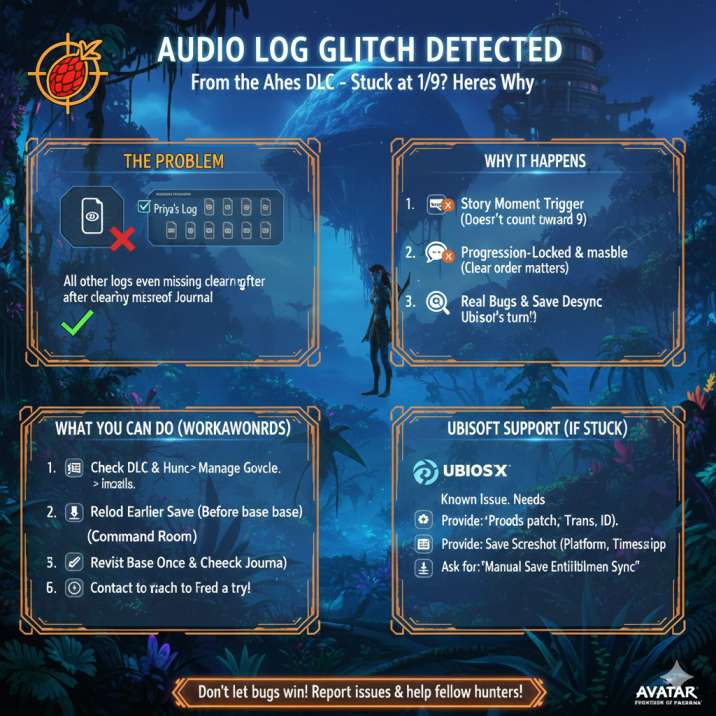
Short answer: it’s (mostly) not your fault
This is a known issue tied to how the DLC handles audio logs. A mix of confusing design choices and actual bugs can make it look like you’re missing content when you’re not — or worse, actually lock you out of it.
A lot of players report being stuck at 1/9 audio logs, even after fully clearing multiple RDA bases. So if that’s you, congrats: you’ve joined a very crowded club.
What makes this especially frustrating is that the game doesn’t clearly explain what counts as an audio log. Some logs play automatically during missions or base events and never register in your inventory, while others are tied to very specific progression points or base states.
That means two players can do almost the same things and end up with completely different audio log counts.
In Avatar: Frontiers of Pandora, especially in the From the Ashes DLC, this leads to a lot of confusion, second-guessing, and unnecessary worry that you’ve permanently missed something — even when that isn’t always the case.
Read also: From the Ashes DLC Stuck on Loading Screen (0%) Avatar: Frontiers of Pandora : Solved
Why your audio logs aren’t showing up
Some “audio logs” aren’t real collectibles
Here’s the first trick the DLC pulls on you:
Several audio logs play automatically during missions or base clears, but never get added to your Journal.
They’re story moments, not inventory items.
So yes, you did hear something — it just doesn’t count toward that 1/9 total.
This is where a lot of the confusion starts. The game presents these moments exactly like traditional audio logs, complete with voice acting and context, which naturally makes players assume they’ve picked up a collectible. In reality, these are scripted narrative beats designed to add story flavor rather than track completion. Unfortunately, the DLC never clearly separates these from actual collectible audio logs in the UI. As a result, players check their inventory expecting the counter to go up, only to see it unchanged.
That disconnect makes it feel like something is broken, even when the game is technically behaving as designed — just very poorly explained.
Others are progression-locked (and missable)
Some audio logs:
- Only spawn during specific missions
- Appear before or after an RDA base changes state
- Can disappear permanently once a base is fully cleared
If you blaze through objectives or clear a base in the “wrong” order, the game may never spawn the log at all.
This is the most common reason players get stuck at 1/9.
What makes this especially rough is that the game never warns you this can happen. There’s no popup, no checklist, no “hey, maybe explore a bit more first” moment.
If you naturally focus on objectives — which the game actively encourages — you can unknowingly skip the exact window when an audio log is available. Once the base flips to a different state, that log can be gone for good on that save. In Avatar: Frontiers of Pandora, this kind of missable progression isn’t clearly communicated, which is why so many players only realize there’s a problem long after it’s too late to fix naturally.
Read also: Blaze Fruit Unreachable in Avatar: Frontiers of Pandora: Solved
DLC save behavior can mess things up
There’s also some weirdness with how the DLC tracks collectibles:
- Logs may not register properly on existing saves
- DLC sessions can reset or misflag collectible progress
- Two players can do the same content and get different results
In short: the system isn’t consistent.
This is where things start to feel especially unfair. Players jumping into the DLC on a long-running save can see completely different results compared to someone starting fresh, even if they follow the same steps.
In some cases, audio logs that should count simply don’t flag as collected, while in others they never spawn at all.
There’s no reliable way to tell which saves are affected until you check your Journal and see that number stuck at 1/9. Because the game doesn’t clearly resync or verify collectible progress between the base game and DLC, it leaves players guessing whether they missed something or if the system quietly failed in the background.
And yes — there are real bugs
On top of all that, there are reports of:
- Audio logs not spawning
- Logs playing but not saving
- Inventory counts never updating
Ubisoft has adjusted audio-log behavior in patches before, which tells us this system has been shaky from the start.
For some players, this goes beyond confusing design and straight into bug territory.
You can do everything “right,” revisit locations, reload saves, and still see no change. In a few cases, players report hearing an audio log trigger multiple times, yet their Journal never reflects it. Others never see the log spawn at all, even when following exact location guides.
That inconsistency strongly suggests backend or flagging issues rather than player error. While patches have helped certain edge cases, they haven’t fully solved the problem, which is why reports keep popping up and why this issue continues to frustrate players diving into the DLC.

What you can actually do about it
Before you panic, try these steps — they’ve worked for a lot of players:
1. Double-check the DLC and updates
Make sure From the Ashes is fully installed and your game is up to date.
This might sound obvious, but it’s an easy thing to overlook, especially on console. Sometimes the base game updates correctly while the DLC download pauses, installs partially, or doesn’t properly attach to your save.
When that happens, certain collectibles — including audio logs — can fail to load or register. Take a minute to confirm the DLC is marked as installed in your platform’s game management menu and that there isn’t a pending patch waiting to finish. Restarting the game after verifying installations can also help force the game to refresh its content checks before you load back into your save.
2. Reload an earlier save (if you can)
If you have a save before clearing an RDA base:
- Reload it
- Re-enter the base
- Explore offices and side rooms before finishing objectives
Some logs only show up this way.
This step has helped more players than you might expect. In certain cases, audio logs only spawn while a base is in a very specific state, and once the main objective is completed, that window closes. By reloading an earlier save, you give the game another chance to trigger the collectible correctly.
Take your time when re-entering the base — check side rooms, desks, terminals, and any areas that aren’t part of the critical path. Even if it feels tedious, slowing down here can be the difference between a log finally appearing or being permanently missed on that save.
Read also: Missing Banshee skins in Frontiers of Pandora? : Solved
3. Revisit known RDA base interiors
Don’t trust map markers. Physically revisit:
- Command rooms
- Side offices
- Data terminals
If a log exists, it’s usually tucked away somewhere inconvenient.
This is where a lot of players get tripped up, because the game rarely gives clear visual cues for audio logs. Even after a base is cleared, interiors can still hide small rooms or corners that are easy to miss during combat. Walk through each building carefully and interact with anything that looks like a terminal, desk, or console, even if it doesn’t stand out at first glance.
Some logs are placed in areas you’d normally rush past while focusing on objectives, which is why a slow, methodical sweep can sometimes uncover a log you were convinced never spawned.
4. Restart the game and recheck your Journal
It sounds basic, but some logs only register after a full restart.
This one feels almost too simple to matter, but it’s surprisingly effective. In some cases, the game plays an audio log correctly yet doesn’t immediately update your collectible tracking.
Fully closing the game and launching it again can force the system to resync your progress, at which point the Journal finally updates. After restarting, load your save, open the Journal, and double-check the audio log count before heading back out into the world. It won’t fix every case, but it’s a quick step that has helped some players see missing logs suddenly appear where they should have been all along.
5. Still stuck at 1/9? Contact Ubisoft Support
At this point, it’s considered missing DLC content.
When you contact support, include:
- Your platform (PS5, Xbox, PC)
- Save timestamp
- Screenshot of the 1/9 audio log screen
- Confirmation the DLC is installed
They’ve been known to manually fix flagged saves.
This is usually the last resort, but it’s also the most reliable option if nothing else works. Once you’ve ruled out progression issues and tried reloading or revisiting locations, the problem is likely tied to how your save is flagged on the backend.
Giving support clear, specific information helps speed things up and avoids the usual back-and-forth. While it’s not guaranteed, there are cases where Ubisoft has corrected save data or restored missing progression, making this step worth the effort if you’re stuck and want proper completion.
Read also: From the Ashes DLC Stuck on Loading Screen (0%) Avatar: Frontiers of Pandora : Solved
Bottom line
If your From the Ashes audio logs are stuck at 1/9, you didn’t miss something obvious and you didn’t play the game wrong. This is a frustrating mix of missable design choices, unclear mechanics, and genuine bugs all colliding in one system that never properly explains itself.
Sometimes a reload fixes it.
Sometimes you’re locked out on that save.
And sometimes… Ubisoft has to step in.
The worst part is that there’s no clear way to tell which situation you’re in until you’ve already spent time backtracking and double-checking everything. That’s why so many players end up second-guessing their playthrough when, in reality, the issue is mostly out of their control.
If you want, I can:
- Turn this into a short Reddit post
- Write a Ubisoft support message you can copy-paste
- Or break down which logs actually count vs. which don’t