
Many Battlefield 6 players on Xbox report a constant loud beep every few seconds that drowns out explosions, voice lines, and music.
The tone is described as sharp, repetitive, and sometimes audible through TV speakers even when headsets are disconnected.
This guide mirrors that frustration, gives a clear, immediate answer, explains why it happens, and provides concise, game-specific steps to resolve or work around the issue.
Clear answer (read first)
If the beep appears only while playing Battlefield 6: most likely a BF6 audio loop or in-game scan/ability sound bug — reproduce-able and fixed by EA patches once reported.
If the beep also occurs outside BF6 (dashboard / other games): it is an Xbox system / controller / headset tone (notifications, low battery, firmware).
Immediate recommended action: run the diagnostic checklist (disable Xbox notifications → test outside BF6 → swap controller/headset → record a short clip) and submit a bug report with video. This yields the fastest route to a permanent EA/Xbox fix.
Read more: Matchmaking Not Working in BF6: Solved
Why Battlefield 6 Starts Producing a Loud Beep Every Few Seconds
Battlefield 6 begins producing a loud, repeating beep when one of its audio systems fails to reset correctly.
This usually comes from scan pings, mine detectors, vehicle abilities, or alert cues that get stuck in a loop after certain gameplay interactions. When the loop triggers, the game repeats the same high-priority sound every few seconds, making the beep noticeably louder than normal effects.
Another common trigger comes from audio propagation bugs, where Battlefield 6 incorrectly broadcasts a localized warning tone to all nearby players.
This causes a beep to follow you across the map, even when the original source is gone. In some cases, the issue overlaps with delayed sound unloading, meaning Battlefield 6 continues playing a tone long after the event has ended.
Because these beeps override other sounds, they are often mistaken for Xbox notifications or hardware alerts, even though the root cause is usually an in-game Battlefield 6 audio bug.
How to Tell Whether the Beep Comes From Battlefield 6 or Your Xbox
Determining whether the beep is coming from Battlefield 6 or your Xbox system helps you focus on the right solution. Both sounds can seem nearly identical, but they show different patterns once you run a few quick checks.
1. Test the beep outside Battlefield 6
Close the game and stay on the dashboard for a minute. If the beep continues, it’s almost always an Xbox notification or hardware tone. If it stops immediately, the issue is tied to a Battlefield 6 audio loop.
2. Switch from headset to TV speakers
Battlefield 6 sound glitches play through every output. Headset tones—like pairing alerts or low battery warnings—only play through the headset. If the beep disappears on TV audio, the headset is responsible.
3. Change controller or replace the batteries
Xbox controllers beep when batteries are low or connections drop. If swapping controllers stops the sound, the beep wasn’t coming from Battlefield 6.
4. Restart Battlefield 6 without rebooting the console
A BF6 audio glitch often clears with a game restart. If the beep remains, it’s more likely an Xbox system sound.
5. Note when the beep begins in gameplay
Beeping that starts after entering vehicles, getting scanned, or respawning matches known Battlefield 6 audio bug behavior, not Xbox alerts.
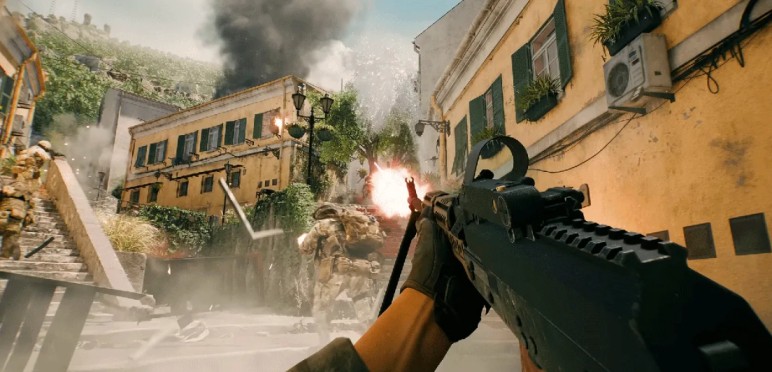
Common In-Game Audio Bugs That Trigger the Battlefield 6 Beeping Glitch
Several in-game audio bugs in Battlefield 6 can cause the loud, repeating beep that players encounter during matches.
One of the most common triggers is a looping sound effect, where alert tones such as scan pings, mine detection beeps, or radar sweeps fail to reset after activation. When the audio engine does not clear these cues, Battlefield 6 continues replaying the same beep every few seconds.
Another frequent cause is incorrect audio propagation, where a localized warning tone spreads across the entire map instead of staying near its intended source.
This results in a persistent beep that follows the player even after the triggering event has ended. Entering or exiting vehicles can also produce stuck cockpit alerts, which remain active until the match or game is restarted.
These Battlefield 6 sound bugs usually appear after respawns, rapid movement between combat zones, or interactions with gadgets that rely heavily on audio cues
Read more: Manhattan Bridge Map Visual Glitch BF6 : Solved
When the Battlefield 6 Beep Is Actually an Xbox Notification or Hardware Alert
Not every repeating sound heard during Battlefield 6 gameplay is caused by a Battlefield 6 audio bug.
In many cases, the beep comes from an Xbox system notification or a hardware alert, which can closely mimic in-game tones and make the source hard to identify.
One of the most frequent causes is the Xbox controller, especially when batteries run low or the wireless connection becomes unstable.
These warnings create short, repeating beeps that continue across menus, dashboards, and other games, leading players to mistake them for Battlefield 6 beeping glitches.
The Xbox headset can create similar confusion. Wireless headsets emit tones for pairing drops, microphone issues, or low battery levels. If the beep disappears when switching to TV speakers, it’s a strong sign that the headset—not Battlefield 6—is responsible.
System-level alerts also play a role. Notifications from the Xbox App, Twitch drops, party invites, or achievement sync errors can trigger recurring sounds that overlap with Battlefield 6 audio. Because these alerts bypass the game’s audio mix, they often sound louder and more abrupt.
When the beep continues outside Battlefield 6, the problem almost always points to Xbox hardware or system notifications, not a BF6 sound glitch.
Step-By-Step Fixes to Stop the Battlefield 6 Loud Beep on Xbox
This section lists practical, ordered steps to isolate and stop the Battlefield 6 loud beep (BF6 beeping every few seconds) on Xbox.
Follow them in order — each step rules out a common cause so the next action is more focused.
1. Quick isolation — does the beep follow you outside BF6?
Quit Battlefield 6 and remain on the Xbox dashboard for 1–2 minutes.
• If the beep stops: it’s likely a BF6 audio bug (in-game sound loop).
• If the beep continues: treat it as an Xbox system / hardware sound (notifications, controller, headset).
2. Mute Xbox notifications temporarily
Go to Settings → Preferences → Notifications and turn off app, party, and system alerts. Also disable any Twitch/Xbox app alerts.
If notifications were the cause, muting them immediately removes the repeating tone.
3. Swap audio outputs — headset vs TV speakers
Disconnect wired or wireless headset and switch to TV speakers.
• If the beep disappears on TV: the headset (or its firmware) is likely beeping.
• If the beep remains on TV: the source is in the console/game.
4. Check controller and batteries
Replace AA batteries or fully charge the controller pack. Try a different controller if available.
Controller low-battery or pairing issues often produce short repeating beeps that sound like system alerts.
5. Restart BF6 (without rebooting Xbox)
Close Battlefield 6 and relaunch it. Many BF6 audio loop glitches clear after a game relaunch. If the beep stops, it was an in-game sound cue stuck in a loop.
6. Full power cycle and HDMI reset
Shut down Xbox completely (hold power 10 seconds), unplug for 10–20 seconds, then restart. Re-seat HDMI cables and, if using an AVR/soundbar, connect directly to TV temporarily.
This clears HDMI handshake and audio routing issues that can create repeated tones.
7. Set safe audio settings
Go to Settings → General → Volume & audio output and choose Stereo Uncompressed. Lower SFX or master volume inside BF6 while testing. Stereo output reduces complicated passthrough problems that amplify certain cues.
8. Test specific in-game triggers
Note when the beep starts: entering vehicles, being scanned, nearby mines, or gadget use. If a pattern emerges, avoid that trigger while reporting the bug. This helps confirm a BF6 audio event is stuck.
9. Capture evidence and submit a bug report
Record a 20–30 second clip (Xbox capture or phone) showing the beep with and without headset. Submit to EA Answers/Forums and Xbox Support. Include: console model, controller/headset model, exact in-game steps, and time started. Video speeds up triage.
10. Temporary workarounds while waiting for a patch
Use TV speakers, lower SFX, mute notifications, avoid known gadget/vehicle triggers, and restart the game between matches. These reduce the beep’s impact until a permanent BF6 patch or firmware update is released.
Checklist
- Test on dashboard
- Disable notifications
- Switch to TV speakers
- Swap controller / replace batteries
- Restart BF6
- Power cycle console & re-seat HDMI
- Set Stereo Uncompressed audio
- Capture video and report to EA/Xbox
Following this ordered workflow resolves most instances of the Battlefield 6 loud beep — whether caused by a BF6 audio bug or Xbox hardware/notification tones. If the sound persists after all steps, escalate to Xbox hardware support or request EA dev attention with attached evidence.
Read more: Liberation Peak Graphical Glitch in BF6: Solved
Quick Checks You Should Run Before Reporting the Battlefield 6 Sound Issue
Before sending a bug report, it helps to run a few fast tests to confirm whether the problem is a Battlefield 6 sound issue or something coming from the Xbox itself. These checks take only a minute and often identify the source of the BF6 loud beep, the Battlefield 6 audio loop, or any repeating tone you’re hearing.
1. Test the beep on the Xbox dashboard
Close Battlefield 6 entirely. If the beep continues outside the game, the issue is system-related.
2. Switch between headset and TV speakers
A Battlefield 6 audio glitch plays on all outputs, while headset errors do not.
3. Swap controllers or replace batteries
Controller alerts often mimic BF6 beeping patterns.
4. Restart Battlefield 6 without rebooting Xbox
If the beep disappears, it was likely a temporary in-game audio loop.
5. Note the exact trigger moment
Beeping that starts after vehicles, scans, or respawns points to a Battlefield 6 audio bug.
Read More: BF6 Sniper Shots Not Registering While Moving : Solved
What EA Has Acknowledged So Far About Battlefield 6 Sound Bugs and Looping Audio
EA has not released a single, direct statement naming one cause for the Battlefield 6 sound bugs, but support staff and community moderators have repeatedly confirmed that the team is tracking reports involving looping audio, stuck beeps, and incorrect sound playback. Ongoing discussions on official bug-report forums show EA requesting reproduction steps, gameplay clips, and platform details, which indicates the issue is being actively investigated.
Recent Battlefield 6 patch notes have also included broad updates to audio stability, sound priority, and event handling, suggesting that EA is pushing incremental fixes aimed at reducing looping tones and improving how in-game audio resets. These changes are not always labeled specifically as “beep fixes,” but they target the systems most commonly linked to the Battlefield 6 beeping glitch.
Overall, EA is monitoring the problem, collecting evidence, and applying audio adjustments over multiple updates. Because looping beeps often require specific conditions to reproduce, detailed player reports with video remain one of the fastest ways to help the developers identify and prioritize the Battlefield 6 sound issue.
Temporary Workarounds If the Battlefield 6 Beep Won’t Stop During Gameplay
When the Battlefield 6 loud beep becomes constant during gameplay, temporary workarounds can help reduce the impact until EA delivers a full fix. These steps won’t resolve the underlying BF6 audio bug, but they make the experience far more manageable in the meantime.
• Switch between audio outputs
Move from headset to TV speakers or the opposite. Some Battlefield 6 beeping glitches sound softer depending on the device, which can make long matches easier to tolerate.
• Avoid the trigger that caused the beep
If the sound began after entering a vehicle or interacting with a gadget, avoid repeating that action. Many loops come from scan pings, radar sweeps, or mine detection cues that fail to reset.
• Return to the main menu or restart the match
Backing out to the menu often clears a stuck alert tone or looping audio event. Joining a different server can also break the sound loop.
• Lower SFX volume temporarily
Reducing sound effects volume doesn’t fix the Battlefield 6 audio problem, but it reduces how sharply the beep cuts through other sounds.
• Disable Xbox notifications while playing
Notification alerts can overlap with the BF6 loud beep, making it seem worse. Muting them removes extra tones that confuse the diagnosis.
• Restart Battlefield 6 without restarting the console
A full game reload is one of the most reliable ways to stop a persistent Battlefield 6 audio loop, especially after heavy combat or vehicle transitions.
These temporary actions help control the beeping issue until a future update or patch resolves the underlying Battlefield 6 sound glitch.
How to Build a Useful Bug Report That BF6 Support Teams Can Act On
Creating a clear, structured bug report is one of the fastest ways to help developers identify and fix the Battlefield 6 beeping glitch, especially when it involves looping audio or repeated alert tones. Support teams rely on precise details to reproduce the issue, so the more accurate your information, the sooner EA can address the Battlefield 6 sound bug.
Start by gathering the essentials. Include your platform (Xbox Series X/S or Xbox One), your audio setup, controller type, and whether you were using a headset or TV speakers when the BF6 loud beep occurred. Developers need this to determine whether the issue is tied to gameplay or hardware interactions.
Next, describe the moment the beeping started. Mention the map, mode, nearby vehicles, gadgets, or actions you were performing. Looping audio bugs in Battlefield 6 often come from scan pings, radar sweeps, vehicle transitions, or mine detection cues, so pointing out the trigger greatly improves the report’s accuracy.
Always attach video evidence. A 20–30 second clip showing the beeping pattern, your audio output, and your actions before it begins gives support teams exactly what they need to analyze the Battlefield 6 audio bug. Even a phone recording is enough.
Finally, list any troubleshooting steps you have already tried, such as restarting BF6, switching outputs, or muting notifications. This prevents support teams from repeating suggestions and moves the report directly into the investigation phase.
A clean, detailed submission like this significantly increases the chances of developers fixing the Battlefield 6 beeping issue in upcoming patches.
Read more: Liberation Peak Graphical Glitch in BF6: Solved

Frequently Asked Questions About the Battlefield 6 Constant Beeping Issue
1. Why does Battlefield 6 keep making a loud beep every few seconds?
Most cases come from a Battlefield 6 audio loop, where a scan ping, mine detector, or vehicle alert sound fails to reset. When the audio event gets stuck, BF6 repeats the same beep indefinitely.
2. How do I know if the beep is from BF6 or my Xbox?
Close the game and stay on the Xbox dashboard. If the sound continues, it’s likely a system notification, controller alert, or headset warning — not a Battlefield 6 glitch.
3. Does using a headset cause the Battlefield 6 beeping issue?
Headsets don’t cause the BF6 audio bug, but they can produce their own warning tones. If switching to TV speakers removes the beep, the headset may be the source.
4. Why does the beeping start after entering a vehicle or being scanned?
These actions trigger short alert tones. If the battlefield audio engine doesn’t clear them properly, they create a looping beep, which is a known Battlefield 6 sound glitch.
5. Will restarting Battlefield 6 stop the beeping?
Often yes. Relaunching the game resets audio events and removes most Battlefield 6 looping sound issues. If the beep remains, it may be an Xbox-level alert.
6. Is EA working on a fix?
EA is monitoring reports and updating audio systems in patches. Player-submitted clips and clear bug reports help accelerate a fix for the Battlefield 6 loud beep problem.
7. Can I prevent the beeping issue from happening again?
Avoid repeating actions that triggered the beep, keep your controller charged, and restart BF6 after long sessions. These steps reduce the risk of triggering another Battlefield 6 audio glitch.
Final Thoughts: Preventing the Battlefield 6 Beeping Problem From Returning
While the Battlefield 6 beeping problem often comes from audio loops and misfired alert cues, players can reduce how often it reappears by keeping a few habits in mind. Restarting Battlefield 6 at regular intervals helps clear lingering sound events, especially after long matches or sessions involving heavy vehicle use. This simple reset prevents many BF6 audio glitches from carrying over into the next round.
Maintaining stable hardware also plays a role. Fully charged controllers, updated firmware, and clean audio connections lower the chance of confusing Xbox system tones with Battlefield 6 beeps. Switching audio outputs occasionally can reveal whether a beep is tied to the game or an external device.
Avoid repeating the exact action that triggered the sound loop, whether it was entering a specific vehicle, using a scan gadget, or approaching a mine-heavy zone. If the beep resurfaces after a particular sequence, backing out to the menu can stop it before it becomes persistent.
Until EA issues targeted audio fixes, combining these small habits with quick diagnostics makes the Battlefield 6 loud beep issue far easier to manage. Prevention won’t eliminate every glitch, but it significantly reduces the chances of the beeping returning in future matches.