
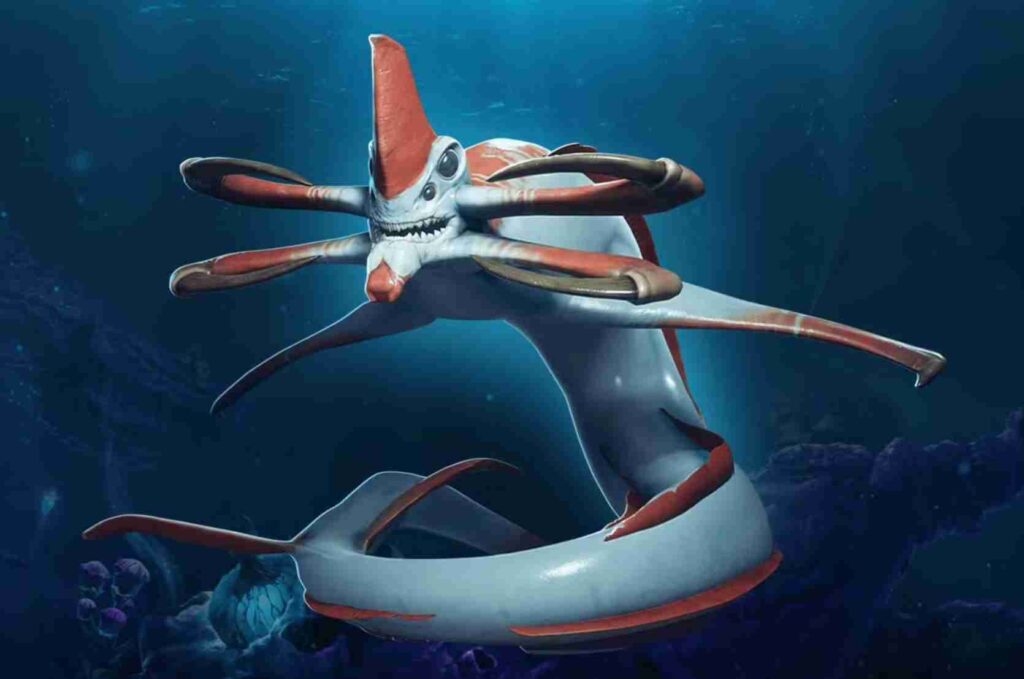
Getting killed by a Leviathan in Subnautica 2 is already painful enough. Losing your black box somewhere in the middle of open water afterward makes it even worse.
A lot of players are currently running into the same problem: you die during exploration, respawn safely back at base, then realize your entire black box is sitting somewhere out in the ocean with no obvious marker leading back to it.
If you’re wondering whether there’s a way to ping your lost black box in Subnautica 2, here’s the short answer.
Read also: Subnautica 2 Different Game Versions Error Solved: How to Fix Crossplay Version Mismatch
Can You Ping a Lost Black Box in Subnautica 2?
No — at least not right now.
Currently, Subnautica 2 does not have:
- a black box waypoint,
- a PDA recovery marker,
- a beacon system,
- or a Scanner Room upgrade that tracks lost inventory.
Instead, the only way to locate a lost black box is by following the small audio beeping sound coming from the dropped container itself.
Unfortunately, if you died in deep water, near caves, or around Leviathans, recovering your black box can become extremely difficult.
Many players across Reddit and community forums are asking Unknown Worlds to add proper black box tracking features in a future update.
How to Find Your Lost Black Box in Subnautica 2
While there’s no perfect fix yet, these methods are helping players recover missing black boxes more consistently. Losing your black box in Subnautica 2 can feel brutal, especially after a long exploration run or a sudden Leviathan attack, but taking your time and searching methodically usually gives you the best chance of recovering it safely.
Return to Your Exact Death Location
Your black box usually drops close to where you died.
Try to retrace:
- your exploration route,
- the biome you were scanning in,
- nearby Alien Outposts,
- caves,
- trenches,
- and Leviathan patrol areas.
If you died while moving quickly with a vehicle or Seaglide, the box may be slightly behind your original position.
Physics can also cause black boxes to slide downhill or fall into lower terrain, particularly in steep underwater zones or areas with uneven terrain generation.
Follow the Beeping Sound
Right now, the beeping audio is the main recovery mechanic.
The best way to use it:
- Stop swimming completely.
- Rotate slowly in place.
- Listen for the direction where the beep becomes louder.
- Move carefully toward the sound.
Using headphones helps significantly because the directional audio is easier to track underwater.
If the beep suddenly becomes quieter, you’re probably moving away from the black box.
Search Above and Below You
One of the biggest mistakes players make is only searching horizontally.
Black boxes can end up:
- below cliffs,
- inside trenches,
- under plants,
- near cave entrances,
- or floating slightly above the seabed.
Always search vertically, especially in deeper biomes where visibility is naturally worse.
Wait for Daytime Visibility
Finding a lost black box at night is much harder than during daylight.
Low visibility, fog, biome particles, and aggressive creatures can make the search almost impossible in darker areas.
If possible:
- wait for daytime,
- bring extra light sources,
- and avoid searching during storms or heavy biome effects.
Be Careful Around Leviathans
Most black box losses happen in dangerous zones for a reason.
If a Leviathan killed you once, there’s a good chance it’s still nearby.
Instead of swimming directly through the same route:
- circle around the area,
- approach from higher terrain,
- or use structures and rocks as cover.
Trying to rush straight back often leads to another death and another lost inventory run.
Is the Subnautica 2 Black Box System Bugged?
Partially — but it also seems intentionally limited right now.
A growing number of players in the Subnautica 2 community are frustrated with how black box recovery currently works, especially after losing important inventory in deep-water areas or dangerous Leviathan zones. At the moment, the system feels fairly barebones compared to what many survival-game players expected.
The biggest complaints are that:
- black boxes have no permanent marker,
- recovery depends entirely on sound,
- open-water deaths are hard to retrace,
- and some boxes appear to clip into terrain or sink into difficult areas.
In some situations, players report hearing the beeping sound but still being unable to visually locate the black box, particularly in dark biomes, caves, or areas with dense environmental clutter. Others believe certain boxes may occasionally fall into terrain gaps or awkward underwater geometry, making recovery even harder.
That said, the lack of tracking tools may also be partially intentional. Subnautica 2 heavily leans into exploration, risk management, and survival tension, so the developers may want inventory recovery to feel dangerous rather than completely automated.
Because Subnautica 2 is still in Early Access, many players expect Unknown Worlds to improve the system later with:
- better inventory recovery,
- Scanner Room integration,
- beacon tracking,
- or optional death markers.
Right now, though, players are mostly relying on audio cues, memory, and careful searching to recover lost black boxes.
Will Unknown Worlds Add Black Box Tracking?
There’s a strong chance.
The missing black box issue is quickly becoming one of the more commonly discussed quality-of-life complaints in the Subnautica 2 community right now, especially among players exploring deeper biomes or high-risk Leviathan zones. Since inventory recovery is such a major part of the survival gameplay loop, many players feel the current system is a little too punishing without proper tracking tools.
Across Reddit, Discord servers, and community discussions, players are specifically requesting:
- Scanner Room support,
- customizable recovery beacons,
- map markers,
- and PDA pings for dropped inventory.
A lot of players also want optional accessibility settings that would make black boxes easier to recover without completely removing the survival tension. Suggestions include temporary waypoint markers, sonar tracking upgrades, or a craftable recovery beacon that activates after death.
At the moment, Unknown Worlds has not officially confirmed any black box tracking changes. However, because Subnautica 2 is still in Early Access, there’s a very good chance the recovery system evolves over time based on community feedback.
The developers have historically adjusted survival mechanics throughout Early Access periods in previous Subnautica games, especially when large parts of the player base repeatedly reported frustration with certain systems. Because of that, many players expect inventory recovery and black box tracking to receive improvements in future patches or quality-of-life updates.
For now, though, recovering a lost black box still relies mostly on careful searching, directional audio beeps, and retracing your route manually.
Final Thoughts
Right now, there is no reliable ping system for lost black boxes in Subnautica 2. If your black box disappears after dying, the only real way to recover it is by carefully retracing your path, returning to the area where you died, and following the directional audio beeps as closely as possible.
The current system can definitely feel frustrating, especially after long exploration runs through dangerous biomes or deep Leviathan territory where visibility is poor and navigation becomes difficult. Since there are no permanent map markers, Scanner Room tracking options, or PDA recovery pings yet, recovering lost inventory often turns into a slow underwater search mission.
For now, patience and careful searching are your best tools. Taking your time, searching vertically instead of only along the ocean floor, and listening carefully for the beeping sound can make a huge difference when trying to recover a missing black box.
Because Subnautica 2 is still in Early Access, there’s also a good chance Unknown Worlds improves the system later with better inventory recovery features and quality-of-life updates based on player feedback.
Until then, if you’re planning another trip into Leviathan territory, it’s probably smart to save first before taking any big risks.