
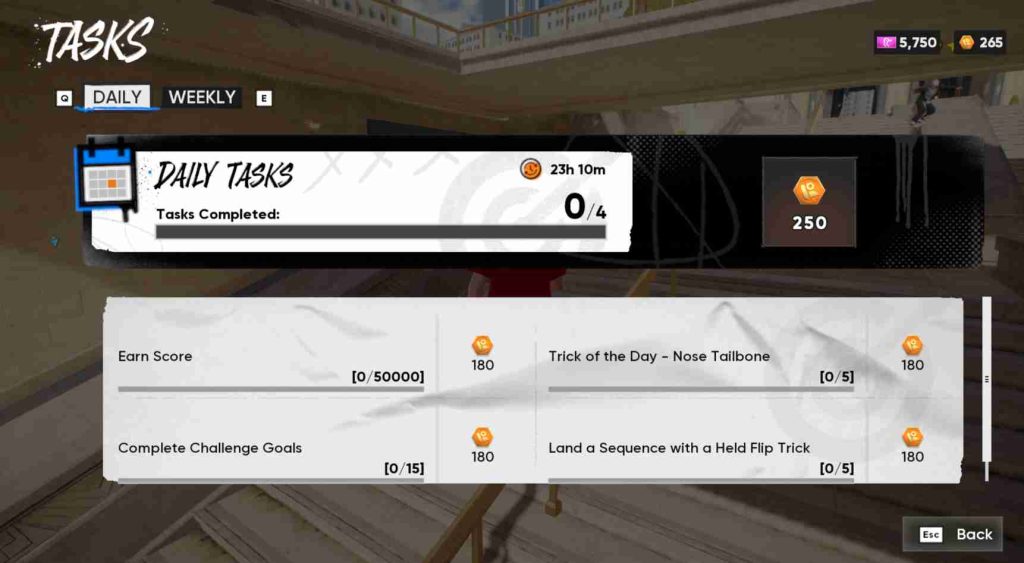
Many players are currently facing an annoying issue where daily tasks or challenges in Skate are not counting progress — even after performing the exact tricks or goals required. This frustrating problem prevents players from completing objectives needed for Season Pass progression, XP rewards, and in-game currency, making it feel like all effort goes to waste.
The issue has been widely reported across PC (Steam), PlayStation 5, and Xbox Series X/S, especially after the Season 1 update, which introduced new trick events, community challenges, and multiplayer objectives. Players have noticed that no matter how precisely they land the trick, the progress bar remains stuck at 0% or resets unexpectedly after each attempt.
Early reports suggest the bug may be linked to server synchronization errors, spot detection issues, or a broken challenge tracking system introduced in the latest patch. It seems the game sometimes fails to register when a trick has been landed within the correct area or under the correct conditions, making challenges impossible to complete.
The Skate community has taken to Reddit and EA’s official forums, flooding threads with complaints and video proof of the glitch. Many hope EA will release a hotfix soon, but until then, there are a few temporary workarounds that can help players progress and earn rewards again.
What Is the Daily Tasks Not Working Bug in Skate?
The Daily Tasks Not Counting bug in Skate is one of the most frustrating issues currently affecting players across all platforms. It prevents the game from properly tracking progress in daily and weekly challenges, even when players perform every objective correctly. Whether it’s landing a specific trick, reaching a score target, or completing a combo challenge, the system simply fails to recognize the action. As a result, players receive no XP, rewards, or completion credit, making progression in Season 1 nearly impossible.
This issue often appears after the latest Season 1 patch, which introduced new goals and updated backend systems for task tracking. However, these updates seem to have caused server desynchronization or data recognition problems, leading the game to misread legitimate trick completions. Some users also report that their tasks work intermittently — progress counts for one session and then suddenly resets or stops entirely the next day.
Players across Steam, PS5, and Xbox have described the glitch as:
- “Daily tasks stuck or soft-locked.”
- “Flip tricks not registering.”
- “Challenge goals completed but still showing 0%.”
In some cases, even offline sessions are affected, suggesting that the problem might be tied to how Skate stores and syncs challenge data between local saves and EA servers. Until a fix arrives, players are forced to repeat tasks without guaranteed credit.
Who Is Affected by This Bug?
The Daily Tasks Not Counting bug in Skate is affecting a large portion of the player base across all major platforms, making it one of the most widespread issues since the Season 1 update.
???? PC (Steam)
On PC, many players report that their daily challenges freeze or reset after each session. Even verifying game files, reinstalling Skate, or clearing cache data doesn’t seem to fix the issue. For some, progress counts for one or two challenges before the system stops tracking altogether. Others have noticed that the bug becomes worse after reconnecting to EA servers or switching between public and private lobbies. This strongly suggests a server-side sync or data-tracking problem that isn’t resolved locally.
???? PS5
PlayStation 5 users are also heavily affected. Despite trying fixes such as rebuilding the PS5 database, reinstalling the game, or resetting user data, the daily goals remain stuck at 0% progress. Some players mention that progress will appear briefly before disappearing after returning to the main menu or restarting the console.
????️ Xbox Series X/S
Xbox users face similar symptoms — objectives appear in the menu but never update after being completed. Even performing the exact trick multiple times doesn’t count toward the challenge. The issue impacts both solo and multiplayer modes, confirming it’s not a console-specific problem but a cross-platform backend bug likely linked to Skate’s Season 1 challenge system.
Why Are My Skate Daily Tasks Stuck at 0%?
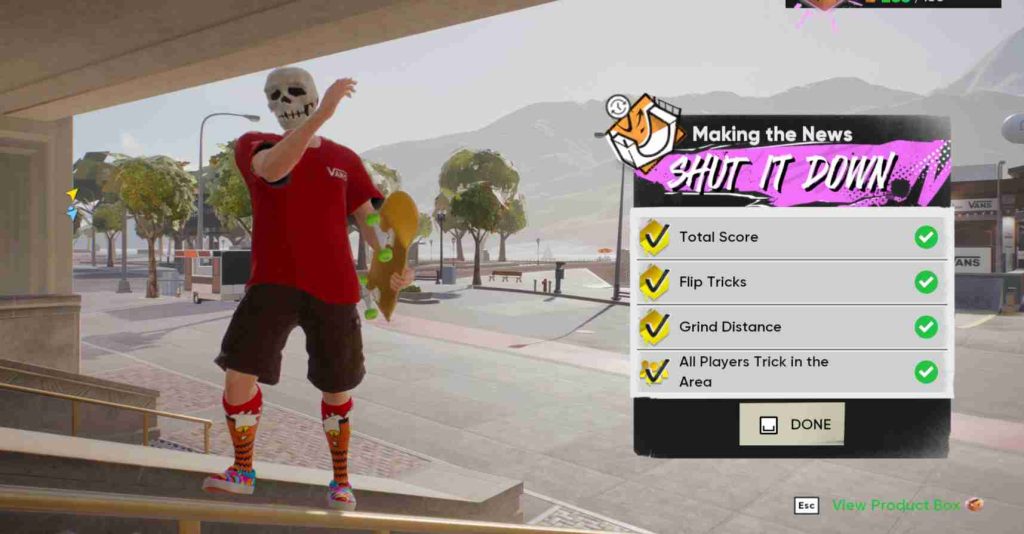
The Skate Daily Tasks stuck at 0% issue is caused by several technical factors that prevent the game from properly updating your challenge progress. Based on player feedback and reports from community forums, here’s what’s most likely happening behind the scenes:
- Server-Side Sync Issue
Skate’s daily and weekly challenges rely on EA’s live servers to record and sync progress. When the servers experience instability, high traffic, or maintenance downtime, challenge data can fail to upload or validate. Even if you complete the trick perfectly, the system may not register it until the next successful sync, leaving your task stuck at 0%. - Cloud Save Desync
Many players link their progress to EA cloud saves, but if your local save doesn’t match the cloud version, the system gets confused about your actual progress. This desync can cause tasks to appear incomplete or reset entirely when logging in again. - Corrupted Cache or Profile Data
If your cache or profile data becomes corrupted (often after crashes or updates), the game may fail to store daily task completion data. This means the system can’t update your progress bar properly, even though your actions are detected. - Season 1 Patch Conflict
The issue began appearing after the Season 1 update, suggesting a coding or API conflict between the game’s client and server. It’s likely the new daily challenge logic introduced a soft-lock bug for certain player accounts. - Account Session Error
Extended play sessions or frequent switching between online and offline modes can cause session token expiration, preventing EA’s backend from validating your challenge progress. Restarting the game or logging out and back in may temporarily fix it.
How to Fix Skate Daily Tasks Not Working (All Platforms) – Complete Guide
Many players across PC, PS5, and Xbox are frustrated because their Skate daily tasks or challenges do not track progress, even after completing all objectives. This issue is particularly widespread after the Season 1 update, and it affects both online and offline sessions. Below is a detailed, comprehensive guide with tested fixes for each platform, along with new solutions and workarounds to get your daily tasks counting again.
Fixes for PC (Steam) – Skate Daily Tasks Not Working
1. Run as Administrator
Running Skate with full permissions can prevent memory allocation or session conflicts. Right-click Skate.exe → Run as Administrator. This ensures proper access to game files and system resources, improving task tracking.
2. Disable Fullscreen Optimization
Some Windows settings interfere with game performance. Right-click Skate.exe → Properties → Compatibility → Disable Fullscreen Optimizations, then launch the game.
3. Adjust Virtual Memory / Page File
Low virtual memory can prevent the game from writing task progress. Increase Windows virtual memory to at least 16GB:
- Settings → System → About → Advanced System Settings → Performance → Advanced → Virtual Memory → Change → Custom Size.
4. Create a New Windows User Profile
Corrupted user profiles can affect EA session data. Creating a new Windows account and launching Skate there can resolve task tracking issues.
5. Limit Background Applications
Close memory-heavy apps like Chrome, Discord, OBS, or GPU monitoring tools. Running only Steam and Skate reduces RAM/VRAM spikes that may interfere with progress tracking.
6. Use a Wired Internet Connection
Unstable Wi-Fi can cause intermittent server sync errors. Using a wired connection ensures reliable communication with EA servers.
7. Opt for Private or Solo Sessions
Daily tasks sometimes fail in crowded multiplayer lobbies. Starting a private lobby or solo session reduces server desyncs and ensures proper task recognition.
Combining these fixes with the original steps greatly improves the chances of daily tasks counting correctly on PC, restoring progress and rewards efficiently.
8. Verify Game Files
This ensures no files related to challenge tracking are missing or corrupted.
Steps:
- Open Steam → Library → Skate → Right-click → Properties.
- Select Installed Files → Verify Integrity of Game Files.
- Let Steam check and repair any errors.
- Restart the game and re-check your daily progress.
9. Clear Cache and Temp Files
Old cache data can block progress tracking.
Steps:
- Exit the game completely.
- Go to:
C:\Users\[YourName]\Documents\EA Sports\Skate - Delete any folders named Cache, Temp, or Logs.
- Restart Steam → Launch Skate → Log in again.
10. Log Out and Back Into EA Account
Your session may be stale or disconnected.
- Open Skate → Settings → EA Account → Log Out.
- Relaunch the game and log in again.
- Wait a few seconds on the home screen before checking tasks.
11. Disable Overlays
Sometimes overlays (Steam, Discord, Radeon, etc.) interfere with game processes.
Disable them and relaunch Skate.
12. Reinstall Skate (Last Resort)
If nothing helps, uninstall Skate completely and reinstall it fresh from Steam.
Don’t forget to back up your saves.
Fixes for PS5 Players – Skate Daily Tasks Not Working
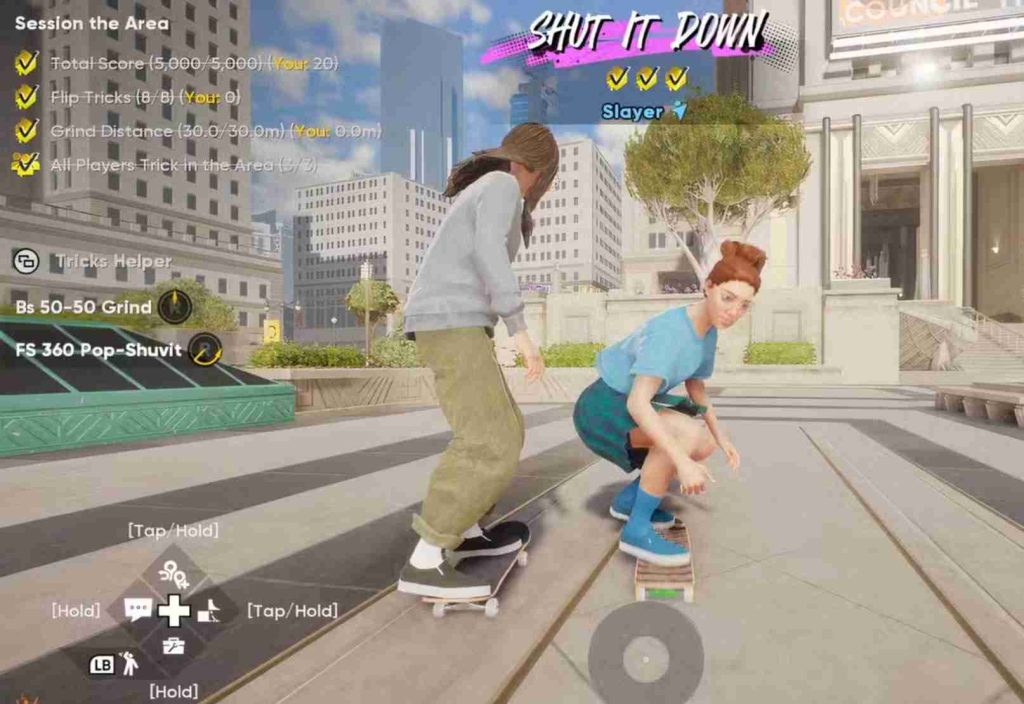
On PlayStation 5, daily task issues are often caused by corrupted cache, saved data conflicts, or database errors.
1. Rebuild Database
Rebuilding the database can fix corrupted index files affecting challenge tracking.
Steps:
- Turn off PS5 completely
- Hold the power button until you hear a second beep
- Select Rebuild Database from Safe Mode
- Restart the console and launch Skate
2. Delete Saved Data (Local Only)
Sometimes local saved data conflicts with cloud saves, preventing tasks from syncing.
Steps:
- Go to Settings → Storage → Saved Data → Skate
- Delete local save only (do not delete cloud data)
- Relaunch Skate and log in again
3. Clear System Cache
Power cycle your console:
- Turn off PS5 → Unplug for 1–2 minutes → Plug back in → Restart
4. Reinstall the Game
If rebuilding the database doesn’t help, a full reinstall ensures a clean environment for daily tasks.
5. Check for System Software Updates
Outdated PS5 firmware can interfere with game functions, including task tracking.
- Go to Settings → System → System Software → System Software Update & Settings → Update System Software
- Install any available updates and restart the console before launching Skate
6. Restore Licenses
Sometimes license conflicts prevent the game from syncing properly with cloud saves.
- Go to Settings → Users and Accounts → Other → Restore Licenses
- Relaunch Skate and check if daily tasks register correctly
7. Use a Wired Internet Connection
A stable connection is critical for syncing challenges with EA servers.
- Connect PS5 directly via Ethernet cable rather than Wi-Fi
- This reduces packet loss and improves task recognition in online sessions
8. Create a New PS5 User Profile
Corrupted or glitched PS5 accounts can cause progress tracking failures.
- Create a new PS5 user account → Link your EA account → Launch Skate
- Test if daily tasks now track correctly
9. Clear Game Cache via Safe Mode
PS5 allows you to clear temporary game data without affecting saved data.
- Turn off PS5 completely → Hold the power button for the second beep → Enter Safe Mode → Select Clear Cache and Rebuild Database
- Relaunch Skate after completing this step
Implementing these additional steps along with the basic fixes (rebuilding database, clearing local saves, reinstalling) can significantly improve the chances of daily tasks working properly on PS5, ensuring progress is tracked and rewards are earned without errors.
Fixes for Xbox Series X/S – Skate Daily Tasks Not Counting
Xbox users may experience daily task tracking issues due to cache corruption, cloud sync errors, or profile desyncs. Below are 12 detailed fixes to help resolve the issue:
1. Clear Local Cache
Reset the system cache to remove corrupted temporary data.
Steps:
- Hold the power button until the console shuts down
- Unplug for 30 seconds → Plug back in → Restart console → Launch Skate
2. Reinstall the Game
Uninstall and reinstall Skate to fix corrupted game files. Consider moving the game between internal and external drives for a fresh install.
3. Check Network Connection
Ensure a stable, high-speed network to prevent cloud sync errors. Use wired Ethernet if possible.
4. Sign Out and Back Into EA Account
Logging out and back in refreshes server sync and can fix stuck daily tasks.
5. Power Cycle the Console
Fully power off Xbox → Unplug for 1–2 minutes → Restart. This clears residual memory and temporary data.
6. Clear Saved Data Cache (Local Only)
Navigate to Settings → System → Storage → Saved Data and delete local Skate save cache. Keep cloud saves intact.
7. Avoid Switching Accounts Mid-Session
Switching profiles during gameplay may break challenge sync. Stay logged into one EA account while completing tasks.
8. Use Private or Solo Sessions
Daily tasks may fail in crowded multiplayer lobbies. Private sessions reduce server desyncs and improve progress tracking.
9. Wait on Main Menu for Initial Sync
After launching Skate, wait 5–10 minutes on the home screen to allow full server synchronization before starting challenges.
10. Limit Background Xbox Apps
Close apps running in the background (Discord, streaming apps, browser) to reduce memory load and prevent desync errors.
11. Update Console and Game
Make sure both Xbox firmware and Skate are fully updated. Outdated software can interfere with daily task registration.
12. Contact EA Support
If all else fails, submit a detailed ticket with screenshots or video clips showing stuck daily tasks. Include keywords like “Skate daily tasks not counting Xbox” for faster troubleshooting.
Server Sync Fix (All Platforms) – Skate Daily Tasks Not Counting
One of the most common causes of daily tasks not counting in Skate across PC, PS5, and Xbox is a server synchronization issue. Since Skate relies heavily on EA’s backend servers to track progress, any temporary disruption or overload can prevent challenge completion from registering correctly.
A simple but effective solution is to refresh your connection to EA servers. Start by launching the game and waiting on the main menu for 5–10 minutes. This allows the game to fully sync your profile, cloud save, and challenge data before you begin performing tricks.
Do not skip any loading prompts during this period, as they often correspond to server-side data initialization. Also, avoid switching between offline and online modes mid-session, since this can interrupt the synchronization process and reset any partially completed progress.
Finally, refrain from switching accounts while the sync indicator is active. Changing profiles during this process can confuse the server about which daily tasks to update, causing them to remain stuck at 0%.
Following these steps ensures that your session fully communicates with EA servers, allowing daily and weekly challenges to register correctly across all platforms. In many cases, this simple server sync method alone can resolve the issue without the need for cache clearing, file verification, or reinstallation. It’s a universal fix that works for both solo and multiplayer sessions.
Community Feedback & Player Reports – Skate Daily Tasks Not Counting
The Skate daily tasks not counting bug has sparked significant discussion across community forums, Reddit, and EA Answers HQ. Many players express frustration after completing challenges perfectly, only to see 0% progress recorded.
Some typical reports include:
- “I’ve done everything — flip tricks, sequences, scores — but my dailies don’t count at all.”
- “I verified files, reinstalled, logged out, nothing works.”
- “Seems like all platforms are affected since Season 1.”
Players confirm that the issue is not isolated to a single platform — PC, PS5, and Xbox users all report similar experiences. Many highlight that the problem often coincides with server sync errors, cloud save desyncs, or post-update glitches, indicating it is likely a backend issue rather than user error.
The widespread nature of the bug shows that temporary fixes like clearing cache or relaunching may work intermittently, but a full resolution depends on EA addressing server and synchronization conflicts in upcoming updates.
Final Thoughts – Skate Daily Tasks Not Counting
The daily tasks not counting bug in Skate has become a major frustration for players across PC, PS5, and Xbox, particularly after the Season 1 update. It stems from a combination of server sync issues, cloud save desyncs, corrupted cache, and update conflicts, rather than player error.
While the game is technically playable, progress toward daily and weekly challenges is often blocked, preventing XP, rewards, and leaderboard advancement. Following the fixes outlined — such as clearing cache, verifying game files, rebuilding the database, using private sessions, and refreshing server connections — can significantly improve the chances of your daily tasks registering correctly.
For persistent problems, contacting EA Support with detailed reports and including screenshots or clips of the issue can help escalate the problem for an official resolution.
Until EA releases a permanent patch, the best approach is to stay patient, follow the step-by-step solutions, and use temporary workarounds like offline mode or private lobbies. With careful management, you can continue progressing in Skate without losing rewards or milestones.
Skate Daily Tasks Not Counting – Frequently Asked Questions (FAQs)
Why are my Skate daily tasks not counting progress?
Your daily tasks may not be counting due to server sync issues, corrupted cache, cloud save desync, or a soft-lock caused by the Season 1 update. Even if you complete tricks or sequences, the progress might not register until the game properly syncs with EA servers.
Keywords: skate daily tasks not counting, skate daily challenges not updating, skate progress stuck 0%.
Does this issue affect all platforms?
Yes. Reports confirm that PC (Steam), PS5, and Xbox users are experiencing the same problem. The bug appears across platforms because it’s tied to EA server sync and cloud save functionality, not just one system.
Keywords: skate daily tasks PC Steam, skate daily goals PS5, skate Xbox daily progress bug.
Will verifying game files or reinstalling fix the daily tasks bug?
Sometimes, yes — especially on PC (Steam).
- Verify game files to fix corrupted or missing files.
- Clear cache or temporary files to remove corrupted progress data.
- Reinstalling the game can help, but always back up your saves first.
On PS5, rebuilding the database often resolves soft-locks, while on Xbox, clearing the cache can restore daily task tracking.
Keywords: fix skate daily tasks PC, skate daily progress reinstall, skate soft-locked daily challenges.
Will my progress be lost if I log out or reinstall the game?
Not usually. Daily task progress is stored on EA servers, so logging out and back in or reinstalling should not permanently erase completed challenges. However, corrupted local cache or interrupted cloud sync can prevent the progress from appearing temporarily.
Keywords: skate daily tasks progress missing, skate daily tasks not saving, EA server daily challenge sync.
Are there temporary workarounds until EA releases a patch?
Yes, you can try the following:
- Wait 5–10 minutes on the main menu for server sync.
- Avoid switching between offline and online modes while tasks are active.
- Complete tasks in different zones or skate spots — some areas may not register progress correctly.
- Disable overlays or background applications that could interfere with memory allocation.
Keywords: skate daily tasks workaround, skate daily challenges not updating temporary fix, skate soft-locked daily tasks.
When will EA fix the Skate daily tasks bug?
EA has acknowledged the issue, but no official patch date has been released yet. The bug is tied to Season 1 updates and server sync problems, so a hotfix or official patch is expected in the coming weeks.
Keywords: EA skate daily tasks fix, skate patch update, skate daily challenges bug fix.
Can I still earn rewards or XP while the bug is active?
Unfortunately, completed daily tasks may not register, meaning XP and rewards may not appear until the bug is fixed or the server properly syncs your progress. Temporary fixes like logging out/in or waiting on the main menu may help update progress.
Keywords: skate daily tasks XP not counting, skate rewards not updating, skate daily challenge progress bug.
Is this issue similar to any past Skate bugs?
Yes. Similar issues have occurred in previous seasons, where cloud save desync and server issues caused soft-locked challenges, missing progress, or daily goals not updating. This indicates it’s a recurring server-side problem.
Keywords: skate daily task bug previous season, skate soft-lock daily challenges, skate cloud save glitch.
Summary of FAQs
- The bug affects all platforms: PC, PS5, Xbox.
- Likely causes: server sync, cloud save desync, cache corruption, Season 1 patch bug.
- Temporary fixes: verify files, clear cache, log out/in, rebuild database (PS5), clear cache (Xbox).
- Permanent fix: Await EA’s official patch or hotfix.