
So you load back into the game, hop on your Ikran… and yep — the outfit’s gone again.
Same default look. Same re-equipping ritual. Same frustration.
If your Ikran costume keeps resetting every time you load the game, especially after finishing Secrets of the Spires, you’re absolutely not alone. This is a known bug, and a lot of players have been dealing with it across PC, PS5, and Xbox. Some notice it after a full restart, others after fast travel, and for many it starts right after progressing through SoS content.
The good news? You didn’t break anything, your save isn’t corrupted, and this isn’t a settings mistake. The issue is tied to how the game handles Ikran cosmetics and progression in certain situations. Better still, while it’s annoying, it is fixable — or at least manageable — once you know what’s actually going on and which steps actually work.
What’s Actually Happening?
This isn’t a settings issue, and you didn’t mess anything up.
What you’re running into is a cosmetic persistence bug where the game fails to remember what your Ikran was wearing. Instead of saving your last equipped look, it quietly resets the Ikran’s appearance the next time the game reloads.
Because of this bug, your Ikran can:
- Reset its cosmetics or skins back to a default look
- Forget what you had equipped after:
- Restarting the game
- Fast traveling
- Reloading a save
- Finishing Secrets of the Spires
In short, nothing is wrong on your end — the game just… forgets your Ikran’s outfit.
Why It Happens (Especially After Secrets of the Spires)
Most player reports point to Secrets of the Spires interfering with how the game tracks Ikran-related progression and cosmetics. Before SoS, Ikran appearances generally save without issue, but once that content is completed, the system that remembers what your Ikran is wearing can start behaving inconsistently.
After finishing SoS, the game may:
- Fail to properly save the equipped Ikran cosmetic
- Treat skins you already own as unequipped when you reload the game
- Desync DLC or cosmetic entitlements in the background
That’s why so many players end up saying:
“This never happened before I finished SoS.”
The timing isn’t a coincidence — the expansion seems to be the trigger for the bug in many cases.
How to Fix the Ikran Costume Reset Bug
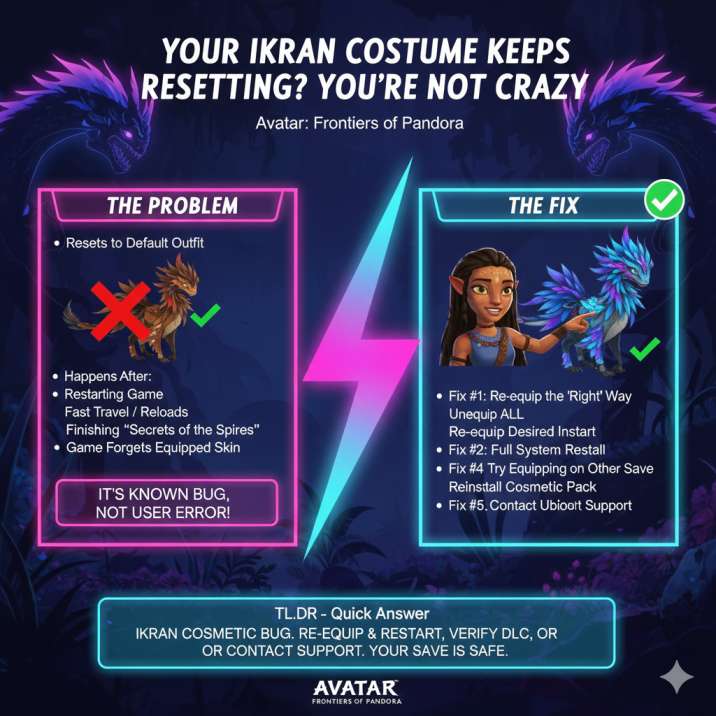
Try these in order. You probably won’t need all of them.
Start with the quick fixes first — a lot of players report the issue stops once the game properly re-registers the cosmetic. If the problem keeps coming back, move down the list until something sticks. None of these steps will harm your save, and you can stop as soon as your Ikran’s outfit stays equipped after reloading the game.
✅ Fix #1: Re-equip the Costume the “Right” Way
This sounds basic, but it works more often than you’d expect — especially if the bug just started happening.
Head into the Ikran customization menu and fully reset what your Ikran is wearing instead of just swapping skins. Unequip everything first, then re-equip the cosmetic you actually want. Once that’s done, make sure you quit all the way back to the Main Menu (don’t just pause or close the menu) and then reload your save.
Doing this forces the game to properly re-register the cosmetic instead of relying on a bugged save state, and for many players, this alone is enough to make the Ikran’s outfit finally stick.
✅ Fix #2: Fully Restart Your System
This one matters more than it sounds — and a quick quit won’t cut it.
Make sure the game is completely closed, then do a full restart of your console or reboot your PC before launching the game again. Don’t rely on rest mode or quick resume features, as those can keep the bugged state active in the background.
A full restart clears cached cosmetic and entitlement data, which can stop the game from reverting your Ikran’s appearance every time you load back in.
✅ Fix #3: Check That the Cosmetic Is Actually Installed
Even if the game says you “own” the skin, it doesn’t always mean the cosmetic is properly installed.
Open your platform’s DLC or add-on management menu and double-check that the Ikran cosmetic pack is installed, not just listed as purchased. If it already shows as installed, try uninstalling and reinstalling it anyway — this can force the game to resync the cosmetic data.
When DLC or add-ons are missing or desynced, the game often defaults your Ikran back to its basic look, which is why this issue can keep happening every time you reload.
✅ Fix #4: Try Equipping the Skin on Another Save
This one’s weird, but it’s been confirmed by multiple players.
If you have another save available, load into it and equip the Ikran skin there first. After that, fully restart the game and then return to your main save. In some cases, the game seems to treat cosmetics as partially save-specific, and equipping them on a different save can force the entitlement to sync correctly across your account.
It’s not guaranteed, but when it works, it can permanently stop the costume from resetting.
✅ Fix #5: Contact Ubisoft Support (Last Resort, But Effective)
If none of the fixes above stick, the problem is likely a backend entitlement issue rather than anything on your end.
When contacting Ubisoft Support, be clear and specific. Tell them you’re experiencing the “Ikran cosmetic reset bug” and ask them to verify and restore your cosmetic entitlements. Make sure to include your platform, Ubisoft ID, proof of purchase if the skin was bought, and a screenshot showing the Ikran cosmetic resetting after a reload.
It’s not the fastest fix, but a lot of players report this is what finally resolved the issue for good.
Is This Just Visual, or Is Something Broken?
Good news first: this issue is cosmetic only. Your Ikran’s stats, flying, combat performance, and overall gameplay aren’t affected in any way, and your save file isn’t corrupted or at risk.
The bad news: yeah, it’s still really annoying. The bug hasn’t been fully patched yet, which means it can keep popping up for some players even after updates. Until it’s permanently fixed, you may need to rely on the workarounds above to keep your Ikran looking the way you want.
Will Ubisoft Fix This Permanently?
Updates have helped reduce how often this bug shows up, but it hasn’t been completely eliminated. Players still report the Ikran costume resetting, especially after things like new expansions, DLC installs, save syncing, or progressing through Ikran-related content.
For now, there’s no guaranteed permanent fix on the player side. Until Ubisoft fully resolves it with a backend or patch update, the workarounds above remain your best bet for keeping your Ikran’s appearance from resetting.
Bottom Line
If your Ikran costume keeps resetting in Avatar: Frontiers of Pandora, it’s a known cosmetic bug — not user error, not bad settings, and definitely not a broken save.
Start with the re-equip and full restart fixes, since those solve the issue for a lot of players. If that doesn’t work, double-check that all cosmetic DLC is properly installed. And if the outfit still refuses to stick, contacting Ubisoft Support is usually what finally gets it sorted.
Annoying? Yep.
Fixable? Also yep.
Read more articles of avatar: