
Players across all platforms are reporting that the Spawn Beacon in Battlefield 6 is not unlocking even after completing the full Assault 1 assignment. The bug prevents further progression into Assault 2, locking players out of the entire Assault class challenge chain.
✅ Quick Solution: If your Battlefield 6 Spawn Beacon remains locked despite completing 10,000 score and 30 Adrenaline Shot kills, try repairing the game, restarting EA App or console, and replaying one All-Out Warfare or Conquest match. EA has acknowledged the issue and is preparing a server-side fix to restore missing unlocks.

Why the Spawn Beacon Won’t Unlock After Completing Assault 1
The Battlefield 6 Assault 1 unlock bug is caused by a broken reward validation link between the challenge tracker and EA’s backend. After the latest update, many players noticed that Assault 1 shows “3/3 complete”, yet the Spawn Beacon remains greyed out in the loadout menu.
This is happening across PC (Steam, EA App) and consoles (PS5, Xbox). The problem isn’t tied to player progress — it’s a backend validation glitch introduced during the assignment progression patch.
Because the game believes Assault 1 is complete but the unlock flag was never sent to your account, Assault 2 also stays locked, blocking further progress.
Fix 1: Replay a Full Conquest Match After Completing Assault 1
For some players, replaying one full Conquest match forces the EA servers to revalidate your completed Assault 1 progress.
Steps:
- Launch All-Out Warfare → Conquest.
- Play a full round (don’t leave early).
- After the match, return to Assignments → Assault 1 and check for the Spawn Beacon unlock.
This action often triggers the delayed unlock, restoring progression toward Assault 2.
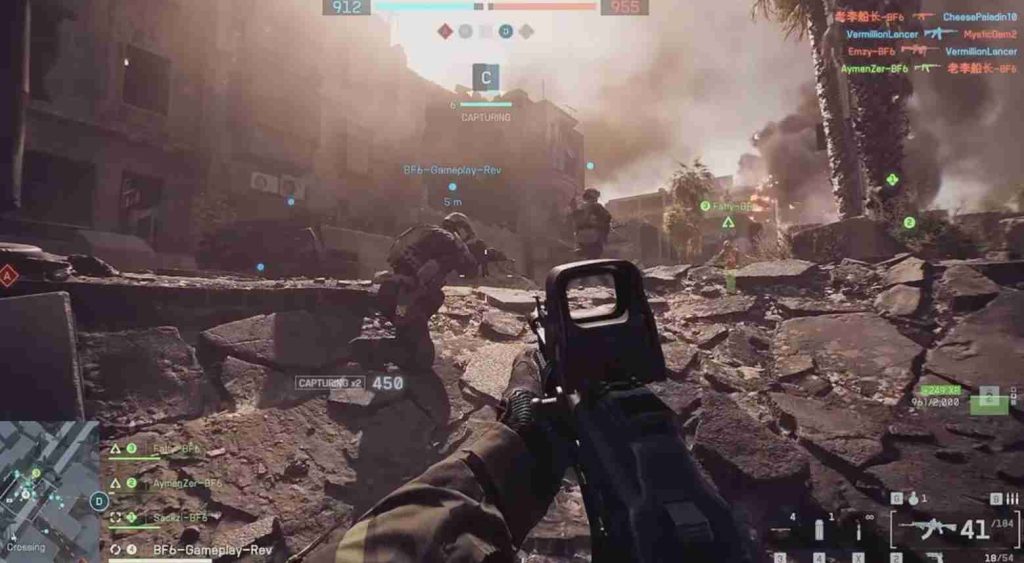
Fix 2: Repair Game Files (EA App / Steam)
If you’re on PC, use your launcher’s built-in repair option to fix corrupted assignment data.
EA App:
- My Library → Battlefield 6 → Manage → Repair.
Steam:
- Properties → Installed Files → Verify Integrity of Game Files.
Once repaired, relaunch Battlefield 6 and check your Assault category — the Spawn Beacon should now appear unlocked.
Fix 3: Clear Cache and Re-Sync EA Account
Cache corruption is one of the main reasons assignment unlocks don’t sync properly.
PC:
- Close EA App → Press
Win + R→ type%ProgramData%/EA Desktop→ Delete Cache folder. - Restart your computer and log back into EA App.
PS5/Xbox:
- Delete Battlefield 6 reserved space in system storage (not save data).
Re-syncing your profile forces the EA backend to recognize your completed Assault 1 progress and issue the missing Spawn Beacon unlock.
Fix 4: Don’t Start Assault 2 Until Beacon Unlocks
Even though Assault 2 appears available, don’t start it until your Spawn Beacon has unlocked properly. Starting the next challenge early can cause stacked validation errors, making both assignments bugged.
Wait until the beacon appears in your inventory before progressing further.
Fix 5: Complete a Different Assignment to Trigger a Sync Refresh
A clever community fix involves completing any other assignment or tier challenge (such as Support 1 or Engineer 1). This forces EA’s backend to re-check your entire assignment list and often triggers stuck rewards to unlock.
After completing the secondary assignment, return to the Assault category — the Spawn Beacon should appear unlocked.
Fix 6: Check EA’s Reward Tracker for Delayed Unlocks
Visit https://ea.com/rewards → Log in → Navigate to Battlefield 6 Progress.
If Assault 1 is marked as “Completed” but no reward is listed, that confirms your unlock is pending EA’s backend fix. Once EA refreshes their assignment sync database, your Spawn Beacon will unlock automatically.
Fix 7: Avoid Portal Servers for Assignment Progress
If you completed your Assault 1 tasks in Portal servers, the progress might not have registered properly.
Re-do the Adrenaline Shot kills and 10,000 score on an official All-Out Warfare server instead. This ensures your unlock progress is correctly linked to the game’s reward system.
Fix 8: Log Out and Back Into EA Account
A simple logout/login can refresh your account token and resubmit all pending reward data.
- Exit Battlefield 6 completely.
- Log out of EA App or console account.
- Restart your device.
- Log back in and open Assignments → Assault 1.
For many users, this triggers a quick resync that unlocks the missing Spawn Beacon immediately.
Fix 9: Monitor EA’s Official Bug Tracker
EA’s community team has officially listed the Assault 1 spawn beacon bug under known technical issues.
You can follow live updates at:
https://answers.ea.com/t5/Battlefield-6-Bug-Reports
Players are advised not to redo the entire challenge, as EA plans to roll out a backend synchronization fix soon.
Fix 10: Wait for EA’s Assignment Refresh Update
As with the SCW-10 and KORD 6P67 bugs, the Assault 1 bug will be resolved through a server-side update.
This patch will automatically unlock the Spawn Beacon for players who have completed all Assault 1 objectives, allowing them to continue to Assault 2 without redoing progress.
No manual download will be needed — the fix will apply globally once EA refreshes its assignment database.
Why Is the Spawn Beacon Not Unlocking After Completing Assault 1 in Battlefield 6?
The Spawn Beacon not unlocking after completing Assault 1 in Battlefield 6 is due to a backend validation bug introduced in the latest update. Players report that the challenge tracker shows “3/3 complete,” including 10,000 score and 30 Adrenaline Shot kills, yet the Spawn Beacon reward remains locked.
This issue happens because EA’s assignment validation system fails to register completion flags properly. While your progress is recorded locally, the unlock trigger on the server side never activates, leaving the reward unavailable.
To fix it temporarily, replay one full Conquest or Team Deathmatch match — this often forces the game to re-sync your assignment data. Also, try repairing your game, clearing EA cache, or logging out and back into your EA account to refresh your session.
EA has confirmed this is a known issue and will be fixed via a server-side update, which will automatically unlock the Spawn Beacon for players who’ve already completed Assault 1.
Is the Battlefield 6 Assault 1 Assignment Bugged After the Latest Update?
Yes — the Battlefield 6 Assault 1 assignment is currently bugged after the latest update, preventing many players from unlocking the Spawn Beacon reward even after fully completing all objectives.
The issue started following a patch that adjusted how assignments track player progression. Unfortunately, this update disrupted the reward validation link between the challenge tracker and EA’s backend. As a result, Assault 1 appears “complete,” but no unlock is granted.
The bug affects players globally and blocks them from continuing into Assault 2, since that challenge requires the Spawn Beacon to be unlocked first.
EA DICE has acknowledged the issue and added it to their official bug tracker, confirming a fix is in development. Until the patch rolls out, players can attempt temporary solutions like replaying an official Conquest match, verifying game files, or completing another assignment to trigger a data refresh.
Once the backend sync fix is deployed, all completed Assault 1 assignments will retroactively unlock the Spawn Beacon automatically.
Why Does Battlefield 6 Show Assault 1 as Complete but Won’t Unlock Spawn Beacon?
If Battlefield 6 shows your Assault 1 challenge as complete but still won’t unlock the Spawn Beacon, it’s because of a server validation error. The local client correctly marks your challenge progress — 10,000 score, 30 Adrenaline Shot kills, and all objectives — but EA’s servers never send the unlock confirmation to your account.
This results in the assignment showing “3/3 Complete,” but the reward stays greyed out in your Loadout menu. It’s a sync issue, not a gameplay problem.
The latest update changed how assignment progress communicates between local saves and EA’s backend, which caused several reward items (like the Spawn Beacon, SCW-10, and KORD 6P67) to become stuck.
You can fix it by replaying one official Conquest match or restarting Battlefield 6 after verifying your game files. This forces a new session sync, which sometimes triggers delayed unlocks.
Don’t redo the challenge — your progress is saved and will unlock automatically once EA applies their server-side fix.
Can You Start Assault 2 Without Unlocking the Spawn Beacon in BF6?
No — you cannot start Assault 2 without first unlocking the Spawn Beacon in Battlefield 6. The game treats the Spawn Beacon as a required progression gate, meaning you must fully complete and unlock the reward from Assault 1 before advancing.
Because of the current Assault 1 bug, the system incorrectly blocks players from progressing to Assault 2, even though all objectives are technically complete. The “locked” status on the Spawn Beacon prevents the next challenge tier from activating.
Attempting to start Assault 2 early may also cause additional progression errors or prevent future unlocks once EA’s patch goes live. Therefore, it’s recommended to wait for the official fix rather than retrying or resetting your assignment progress.
Once EA pushes the backend synchronization update, your completed Assault 1 challenge will automatically unlock the Spawn Beacon, allowing you to start Assault 2 normally without repeating objectives.
Is the Battlefield 6 Spawn Beacon Bug Affecting All Platforms or Just PC?
The Battlefield 6 Spawn Beacon unlock bug is not platform-specific — it affects PC, PlayStation 5, and Xbox users alike. While the issue was first reported by PC players on Steam and EA App, console users have confirmed identical symptoms after the latest patch.
This is because the problem lies in EA’s global backend reward system, not in the individual client software. Regardless of your platform, the game’s assignment progress is stored on EA’s servers, and the current sync failure prevents those rewards (like the Spawn Beacon) from being validated.
Some players on console report that replaying a match or reinstalling Battlefield 6 temporarily restored the missing unlock, but most cases require EA’s server-side fix to fully resolve.
Once the backend synchronization patch goes live, all platforms will automatically receive the correct unlocks. EA has stated that progress is safely stored, and no player will lose completed objectives.
How to Fix Battlefield 6 Spawn Beacon Not Unlocking After Assault 1 Challenge
If the Spawn Beacon isn’t unlocking after completing the Assault 1 challenge in Battlefield 6, it’s due to a reward validation bug introduced in the latest update. The challenge tracker correctly shows 100% completion, but EA’s backend fails to issue the unlock flag.
✅ Try these steps to fix it temporarily:
- Replay one full Conquest or Team Deathmatch match. This often forces the server to re-check your profile.
- Repair or verify your game files to restore missing reward scripts.
- Clear EA cache or delete reserved space on console to refresh local data.
- Log out and back into your EA account to re-sync progress.
Most players report that replaying one match after these steps triggers the Spawn Beacon unlock instantly. If not, EA has confirmed a server-side fix is in progress that will automatically reward affected players.
Does Replaying Assault 1 Unlock the Bugged Spawn Beacon in Battlefield 6?
Yes — replaying the Assault 1 challenge or completing a new official match can sometimes unlock the bugged Spawn Beacon in Battlefield 6. When you replay a full match, EA’s servers are forced to re-scan your assignment data, which can trigger the missing reward validation.
To maximize the chance of success:
- Join an official All-Out Warfare or Conquest server — not Portal.
- Complete at least one full match (do not quit early).
- Return to Assignments → Assault 1 to check for the unlock.
Several players on both PC (EA App, Steam) and consoles (PS5, Xbox) have confirmed this method successfully restores the Spawn Beacon unlock.
If it doesn’t work immediately, try verifying your files or restarting the EA App to trigger another sync cycle. EA has already acknowledged the Assault 1 completion bug, and replays are a reliable short-term workaround until the official fix goes live.
Can Verifying Game Files or Repairing Fix Progression Bugs in Battlefield 6?
Yes — verifying game files (on Steam) or repairing Battlefield 6 (on EA App) is one of the most effective ways to fix progression bugs such as the Spawn Beacon not unlocking after the Assault 1 challenge.
This process rechecks every game file, replaces damaged data, and revalidates local configuration scripts that control assignment rewards.
To repair or verify:
- EA App: My Library → Battlefield 6 → Manage → Repair.
- Steam: Properties → Installed Files → Verify Integrity of Game Files.
Once complete, restart your PC or console and log back into Battlefield 6. The repair often forces EA’s backend to re-sync your account, which triggers missing unlocks like the Spawn Beacon, SCW-10, or KORD 6P67.
While this doesn’t fix every case — since some issues are server-side — it’s a safe and proven step that helps many players recover missing progression rewards without losing data.
Is There a Workaround to Unlock Spawn Beacon Manually in BF6?
While there’s no guaranteed manual method to instantly unlock the Spawn Beacon in Battlefield 6, players have discovered a few reliable workarounds to trigger delayed unlocks.
✅ Try these:
- Play one full Conquest or TDM match after completing Assault 1. This often forces a backend refresh.
- Complete a different assignment (like Support 1 or Engineer 1) — it can trigger a system-wide revalidation of unlocks.
- Clear EA App cache or delete console reserved space to reset stored progress flags.
- Equip loadouts in the lobby — some users report the Spawn Beacon becomes usable mid-match, even when marked locked in menus.
If these don’t work, don’t reset your progress. EA’s backend already holds your completion data — your Spawn Beacon unlock will be automatically delivered once the server synchronization patch goes live.
Will EA Automatically Unlock Spawn Beacon for Players Affected by the Bug?
Yes — EA has confirmed they will automatically unlock the Spawn Beacon for all players who completed the Assault 1 challenge once their server-side fix is deployed.
Since this issue is caused by a backend validation failure — not player error — EA’s system already has a record of who has met the challenge requirements. The fix will involve a global synchronization update, which will retroactively unlock missing rewards like the Spawn Beacon across all platforms (PC, PlayStation, and Xbox).
Players don’t need to redo the challenge or contact support. Once EA’s live-service update runs, the Spawn Beacon will appear unlocked in your Loadout menu automatically.
EA has also stated that future updates will improve assignment tracking and prevent this type of progression glitch from recurring. Until then, replaying one match or repairing the game can temporarily restore the unlock for some users.
Is the Battlefield 6 Spawn Beacon Bug Caused by the Latest Patch or Hotfix?
Yes — the Battlefield 6 Spawn Beacon bug was introduced after the latest patch and follow-up hotfix, which modified the game’s assignment tracking and progression systems. The patch aimed to improve how challenges synchronize with EA’s backend but unintentionally caused certain reward triggers, such as the Assault 1 unlock (Spawn Beacon), to fail.
After the update, many players noticed their progress correctly displayed “3/3 Complete,” but the Spawn Beacon remained locked, preventing them from continuing to Assault 2.
EA DICE has since acknowledged the bug as a direct result of the update. The backend validation link between the challenge completion flag and reward delivery system became desynced, causing assignments to complete without granting rewards.
A server-side fix is currently being tested and will automatically unlock the missing Spawn Beacon for all affected players once deployed globally.
Why Does Battlefield 6 Assignment Tracking Reset or Fail to Update Correctly?
Battlefield 6 assignment tracking can reset or fail to update correctly when progress synchronization between your game client and EA’s backend servers breaks. This issue often occurs after updates that modify challenge objectives, scoring systems, or backend validation IDs.
In these cases, your local game records the completed progress (like 10,000 score or 30 Adrenaline Shot kills) but the server either overwrites or ignores those records during sync, resulting in the progress bar resetting or appearing incomplete.
Another cause is cache corruption or interrupted connections during matchmaking. If the game cannot upload data properly, your progress remains “stuck” even though you met all requirements.
To minimize this issue:
- Always complete matches fully (don’t leave mid-round).
- Avoid switching platforms (like EA App to console) before an assignment updates.
- Clear cache and repair the game after every major patch.
EA’s next backend refresh will improve assignment tracking consistency across all accounts.
Can Incomplete Adrenaline Shot Kills Cause the Assault 1 Unlock to Bug?
No — incomplete Adrenaline Shot kills do not directly cause the Assault 1 unlock bug, but they can prevent the game from marking the challenge as “fully complete,” which then triggers confusion between client and server tracking.
The Assault 1 challenge requires 30 Adrenaline Shot kills and 10,000 score. The bug, however, affects players who have already completed both objectives. It’s not a progress issue — it’s a reward validation failure in EA’s backend.
That said, players who were midway through the Adrenaline Shot portion during the update rollout experienced higher chances of glitching progress. If your counter reset or progress froze, the game likely failed to resync your stats with the latest patch.
To ensure proper tracking, replay matches using the Assault Specialist loadout, confirm kill counts in your Assignment tab, and then restart the game. This forces the client to update its completion status before EA’s servers validate the unlock.
Once EA’s server-side fix is live, even players stuck mid-progress will automatically receive their Spawn Beacon unlock once their assignment data is revalidated.
Is There a Server Sync Issue Between Progress and Unlock Tracking in BF6?
Yes — the Spawn Beacon not unlocking after completing Assault 1 in Battlefield 6 is part of a server synchronization issue between progress tracking and reward unlock validation.
Battlefield 6 uses EA’s centralized backend to track assignments, but the latest patch disrupted communication between local client data (your in-game stats) and the cloud-based unlock system. As a result, your client thinks the challenge is complete, but the server doesn’t trigger the unlock flag.
This same issue affects other weapons and gadgets that rely on backend validation — including the KORD 6P67, SCW-10, and QBZ-192.
While it’s a backend issue, players can sometimes force a re-sync by:
- Logging out and back into their EA account.
- Clearing cache or deleting Battlefield 6 reserved data.
- Playing one full official match to refresh progress transmission.
EA has confirmed a global server synchronization fix will be deployed soon to automatically restore all stuck unlocks without requiring players to redo challenges.
Does the Spawn Beacon Bug Also Affect Other Gadgets in Battlefield 6?
Yes — the Spawn Beacon unlock bug is part of a larger pattern affecting multiple gadget and weapon unlocks in Battlefield 6 following the latest update.
Several gadgets and weapons tied to assignment completions — including the SCW-10, QBZ-192, and KORD 6P67 — have been reported as “completed but locked.” This suggests a universal issue within the EA backend reward validation system, not an isolated Spawn Beacon glitch.
The bug impacts progression chains where one unlock is required to start the next tier. For example, if the Spawn Beacon doesn’t unlock, you can’t progress into Assault 2. Similarly, other class-based gadgets like recon drones and anti-tank launchers are also affected by this backend sync failure.
EA’s development team confirmed they are testing a server-side fix that will automatically issue missing unlocks for all affected players. No manual reset or replay is required — progress data is safely stored and will sync once the fix is live.
Until then, avoid resetting your assignments or switching platforms, as this could further delay automatic validation.
Final Thoughts
The Battlefield 6 Assault 1 Spawn Beacon unlock bug is one of the most frustrating post-update glitches, especially for players grinding through the Assault challenge chain.
Your progress isn’t lost — EA’s system has recorded it, but the reward trigger failed to validate due to the backend issue introduced in the latest patch.
By replaying a match, clearing cache, repairing files, or re-syncing your EA account, you can sometimes force the unlock manually.
Otherwise, EA’s upcoming assignment sync update will automatically restore the Spawn Beacon for all affected players, allowing normal Assault progression to continue.